Investigate IP blocks and access
Use the security tools when a legitimate user reports too many requests or repeated sign-in failures.
- Open Security → IP Lookup and use its IP lookup with the address from the reported request or login history.
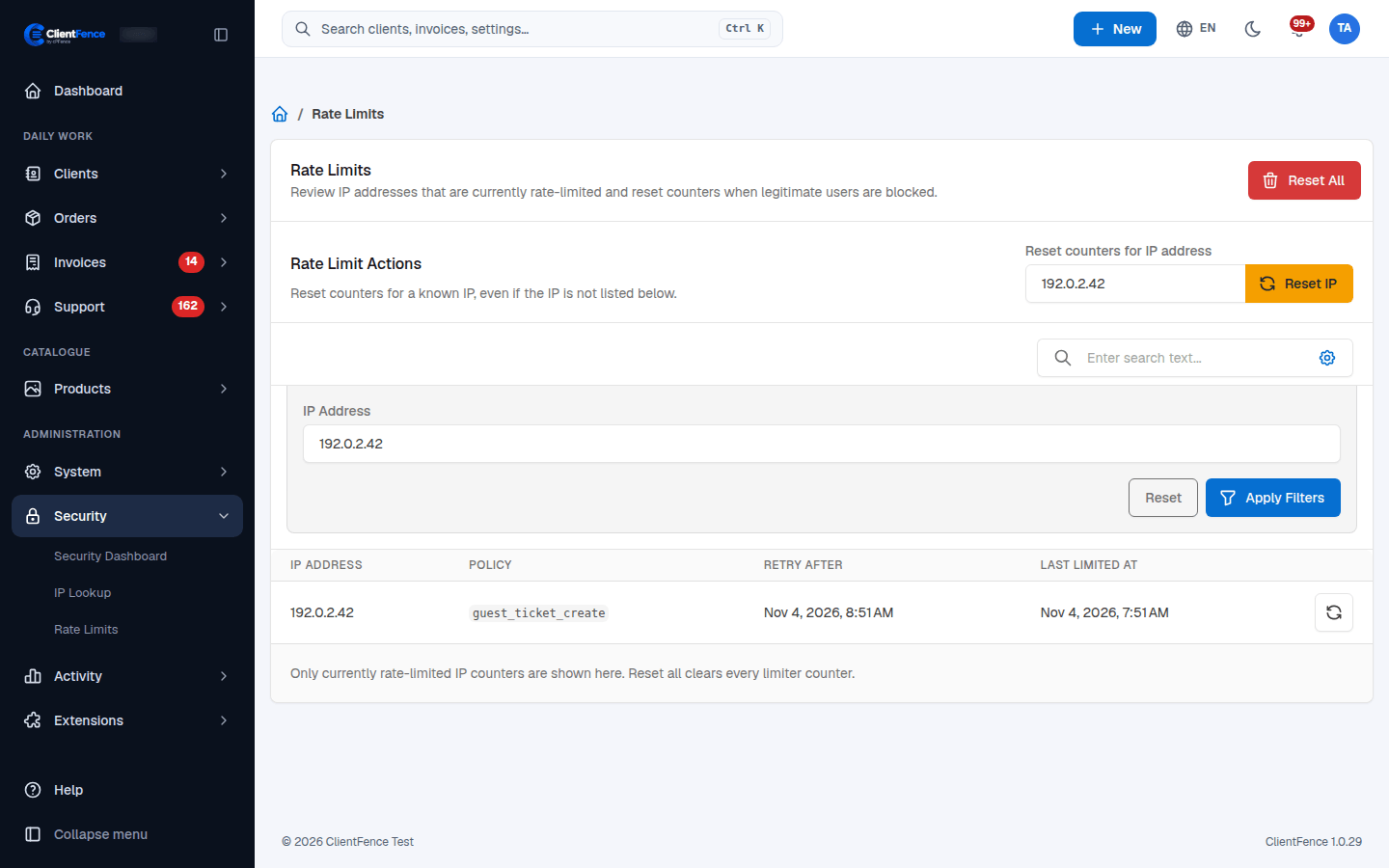
- Open Rate Limits, filter by the IP and review its Policy and Retry After.
- Identify the activity behind that policy, such as signup, ticket creation or a payment request. Correct a retrying integration or repeated browser submission first.
- Wait until the retry time, or use the reset button on the matching row to clear that IP and policy. Reset IP at the top clears counters for the entered address.
- Retry the original task once and confirm that it succeeds.
Reset All clears every tracked IP counter; prefer an IP-specific reset for one user’s issue. A reset clears request counters, not account passwords, two-factor setup, country restrictions or server firewall rules.
An empty list may mean no tracked IP is currently limited. If the page says rate limiting is disabled, it is not the cause of the block.
Use Sign-in security for country restrictions and Security checks for login audit records.