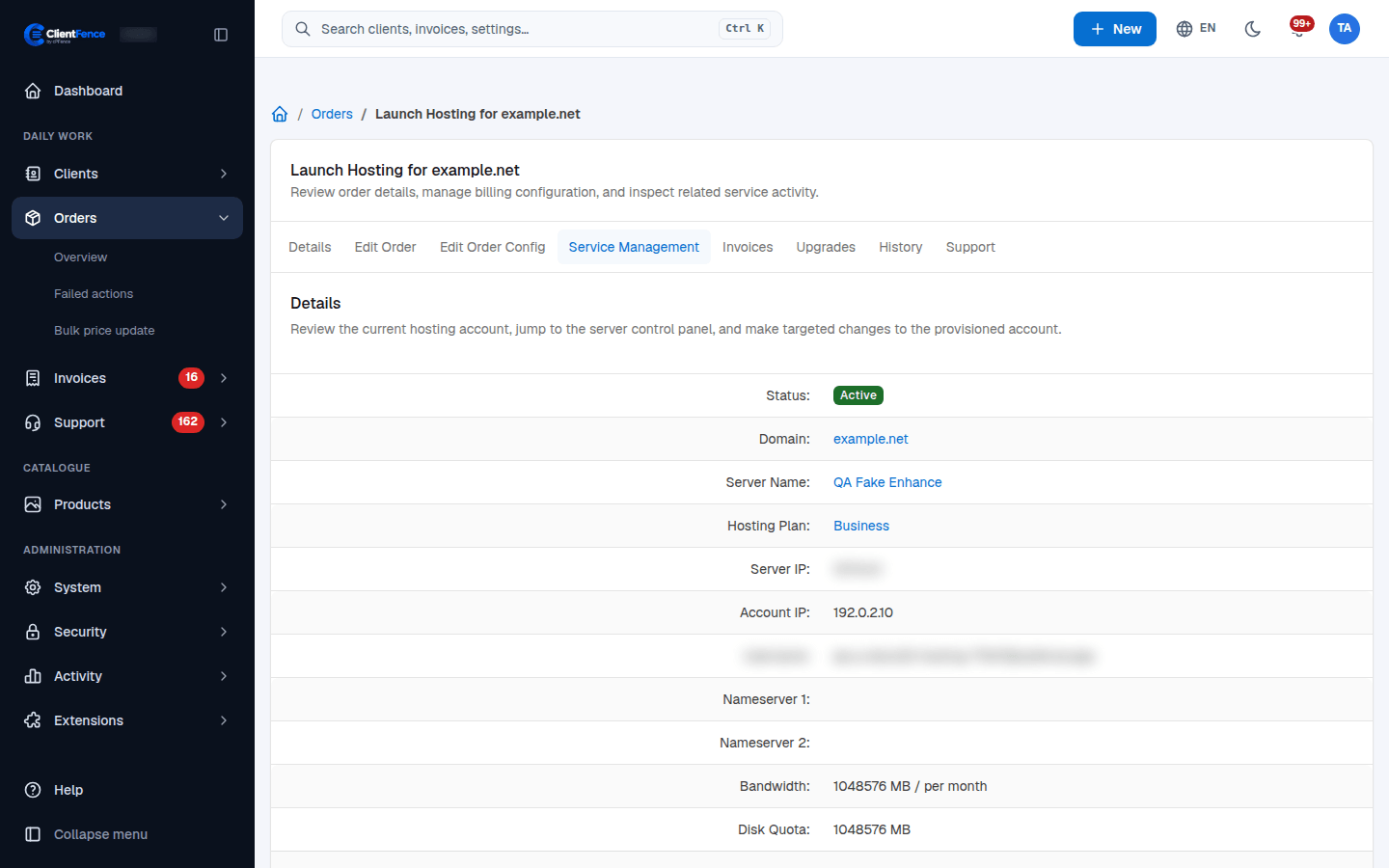
Maintain a hosting service as staff
Staff hosting controls act on the account at its configured server. Available operations depend on that server manager.
- Open Orders, select the hosting order and choose Service Management.
- Confirm the server, hosting plan, username and domain before making a change.
- Use Sync with server to refresh the stored account details, or Jump to control panel to inspect it at the provider.
- Use the relevant form below and verify the result both on the order and at the panel.
| Form | What to review |
|---|---|
| Change Hosting Plan | Select the intended panel plan and check resource limits. |
| Change Account Password | Enter and confirm the replacement; update credentials used by the client. |
| Change IP | Use an address assigned by the hosting provider. |
| Change Username | Check panel naming requirements and dependent credentials. |
| Change Domain | Check the intended primary domain and its DNS. |
These are panel maintenance actions. They do not replace the billing workflow for a client’s paid Upgrade or downgrade. A server manager may reject an unsupported action rather than apply it. Enhance usernames are email logins and cannot be renamed here; change an Enhance website’s IP in the panel.
For failures, inspect the order history and Failed actions, then verify the remote state before retrying.