

Wallet and account credit
Each client has an account balance (credit). Clients top it up on the Wallet page, and ClientFence uses it to pay their invoices.
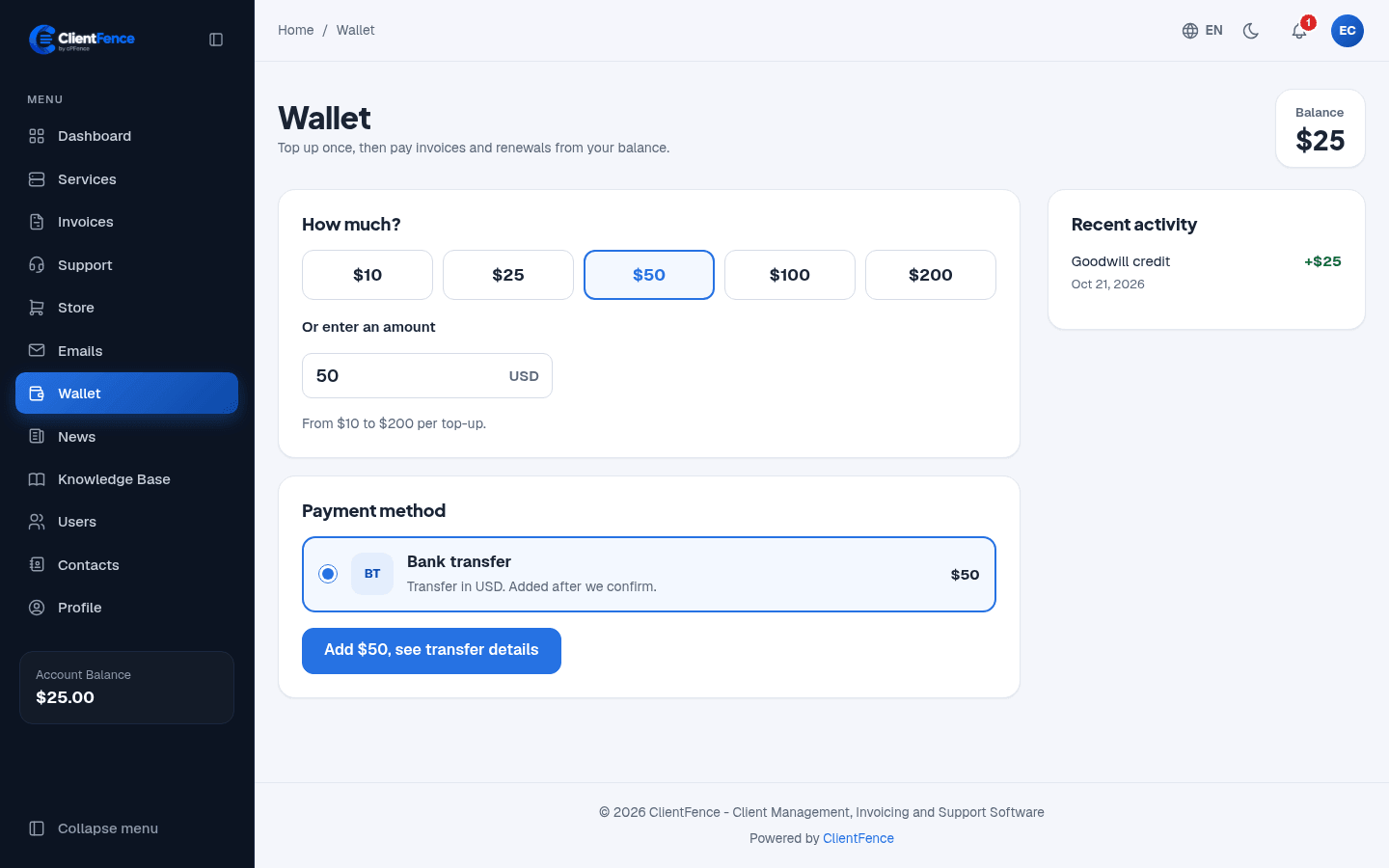
How a client tops up
Section titled “How a client tops up”- The client opens Wallet, picks an amount under How much? or types one, and picks a Payment method.
- ClientFence makes an invoice for the amount. Once it is paid, the money is added to the balance.
Recent activity lists what was added and what was spent.
How credit is used
Section titled “How credit is used”The cron can settle an unpaid invoice when the available credit covers the balance due. On an unpaid invoice, clients can also enter an amount and select Apply credit. Staff can apply or remove credit from the invoice in the admin area.
The balance applies to invoices in the client’s own currency. Top-up invoices must be paid with another payment method. See Invoices.
Credit also comes from a downgrade: the unused time goes back to the balance. See Taxes and credit notes.
Add credit by hand
Section titled “Add credit by hand”Open the client, go to the Credit Balance tab and use Add Funds with an amount and a description. Credit History lists the credit added to or used from the balance; payments received through gateways are on the Transactions tab.
Settings
Section titled “Settings”In System → Settings → Invoices, under Add Funds Settings:
| Setting | What it does |
|---|---|
| Enable Add Funds Feature | When off, clients cannot add funds and the Wallet link is hidden. |
| Minimum Amount for Add Funds Invoice, Maximum Amount for Add Funds Invoice | The smallest and largest top-up. |