Configure helpdesk policies
Helpdesks divide support into departments and define how their tickets behave.
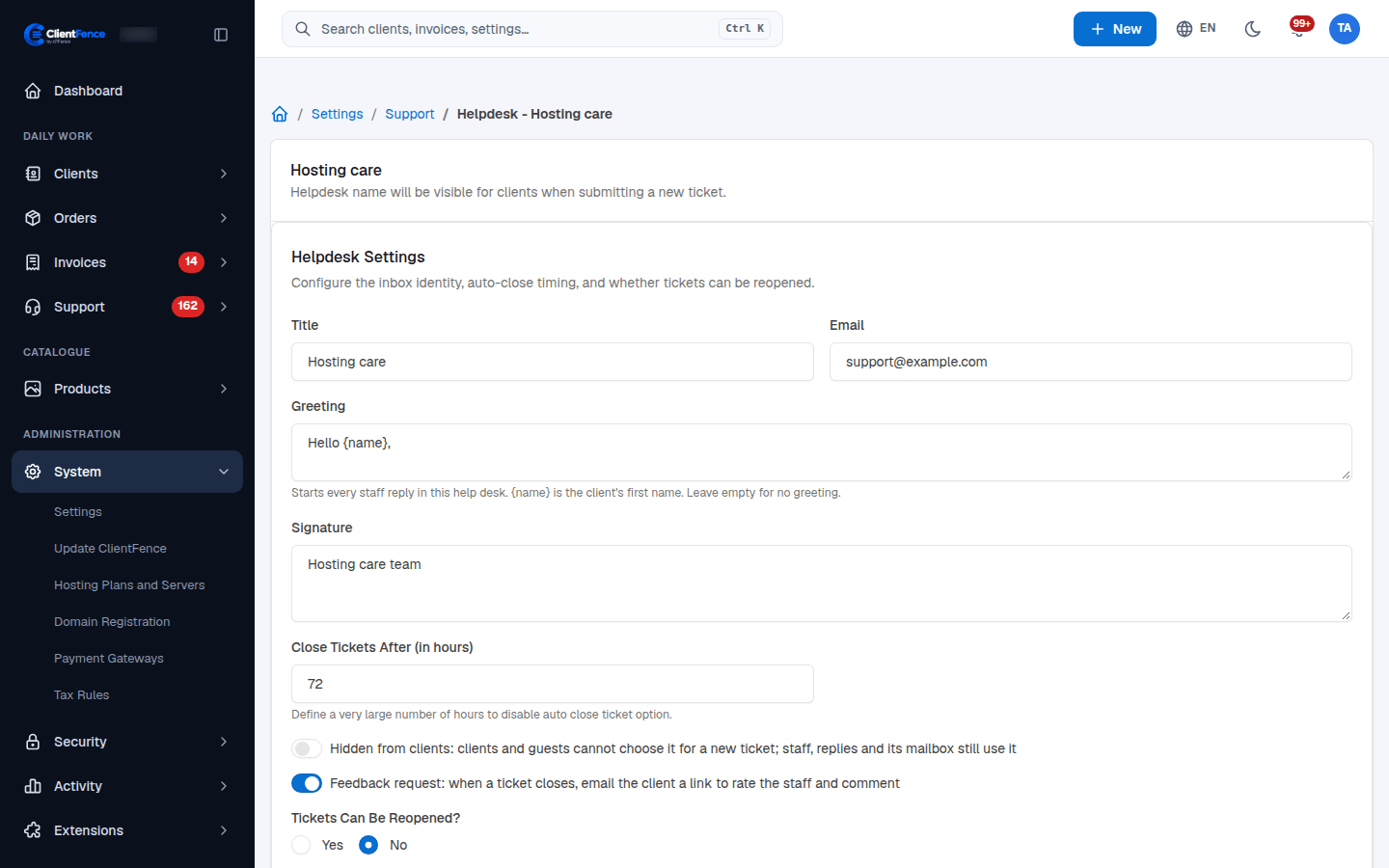
- Open System → Settings → Support → Helpdesks and create or select a helpdesk.
- Set Title, Email, Greeting and Signature. In a greeting,
{name}inserts the client’s first name. - Set Close Tickets After (in hours) and Tickets Can Be Reopened?, then select Update.
- Test a new ticket, staff reply and closed-ticket reply from the client area.
| Choice | Effect |
|---|---|
| Hidden from clients… | Clients and guests cannot choose this helpdesk for a new ticket. Staff, existing replies and its mailbox can still use it. |
| Feedback request… | Sends a rating link when a ticket closes. See Ratings and feedback. |
| Tickets Can Be Reopened? → No | Prevents client and guest replies from reopening closed tickets. |
Use a very large number of hours if you do not want automatic closing. Auto-close applies to tickets waiting for the client, rather than every open ticket.
Guest ticket availability is a separate setting under Support → General → Guest Tickets. Mailbox importing has its own Email-to-ticket settings.