Inspect licence checks and bans
Use the check log to find why an installation’s Software licence was rejected.
- Open Orders, select the licence order, then open Service Management.
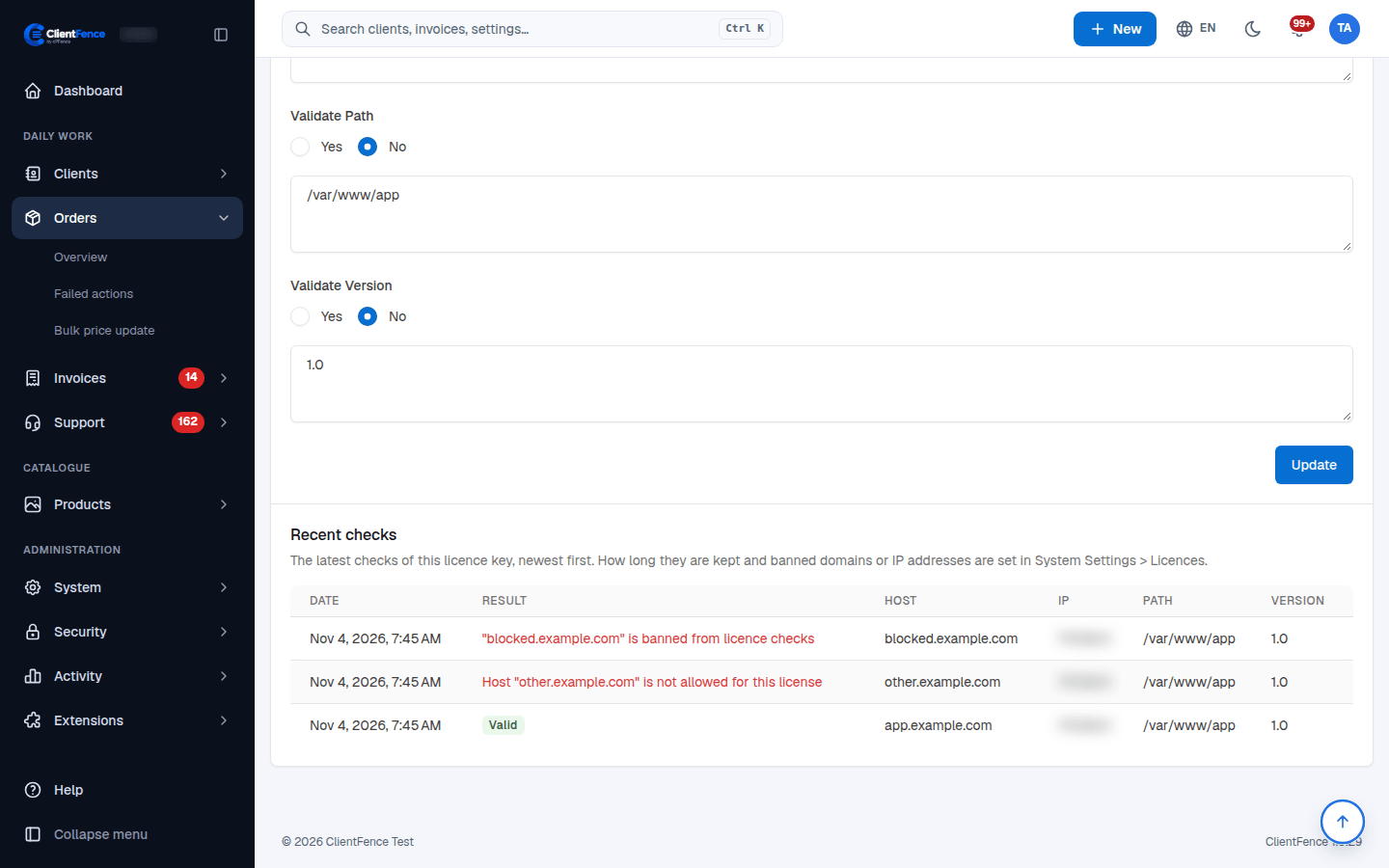
- Review the recent checks and compare the reported host, IP, path and version with that licence’s validation rules.
- Correct the installation or its allowed values. For a legitimate move, review the reset action before clearing existing bindings.
- Check again from the actual installation and confirm a successful result in the log.
Unknown licence keys do not have an order-specific check history. Verify the key and order status first if no check appears.
Set retention or a ban
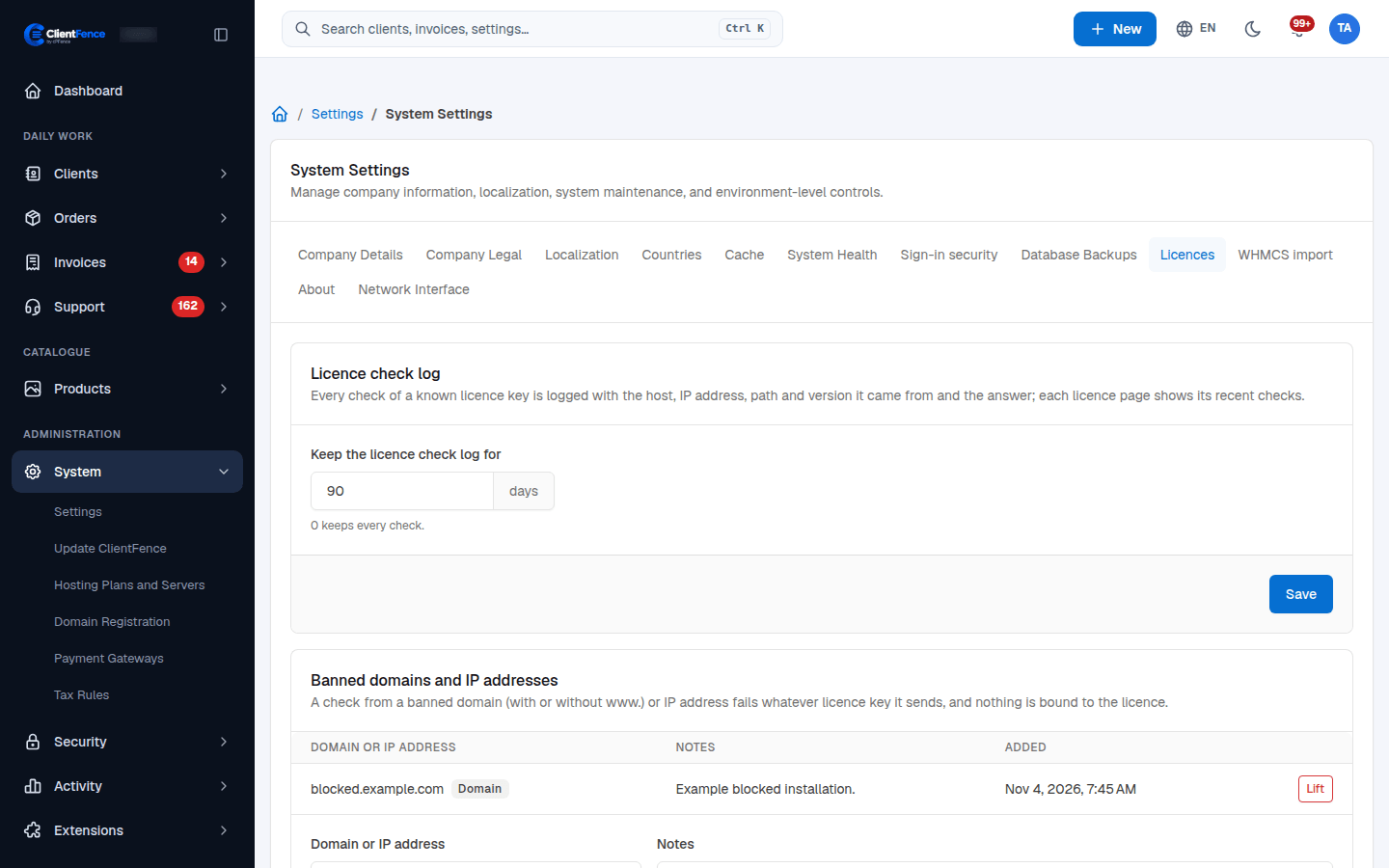
Section titled “Set retention or a ban”Go to System → Settings → System → Licences. Set Keep the licence check log for in days; zero keeps every check.
Under Banned domains and IP addresses, enter the Domain or IP address and optional Notes, then select Ban. A banned domain, with or without www., or a banned IP fails checks regardless of the key supplied. It does not bind that rejected environment to the licence.
Select Lift to remove a ban, then retest. Bans apply across licences, so check the scope before adding one.