

Answer support tickets
Clients open tickets from Support in the client area. Staff answer them under Support → Support Tickets.
Answer a ticket
Section titled “Answer a ticket”- Go to Support → Support Tickets. The filter button in the search box finds tickets by client, status, priority, helpdesk and more.
- Open a ticket. The Ticket tab shows the summary and the Conversation.
- Write your reply, or pick a canned response. Attach files adds files.
- Select Post, or Close Ticket when the issue is solved.
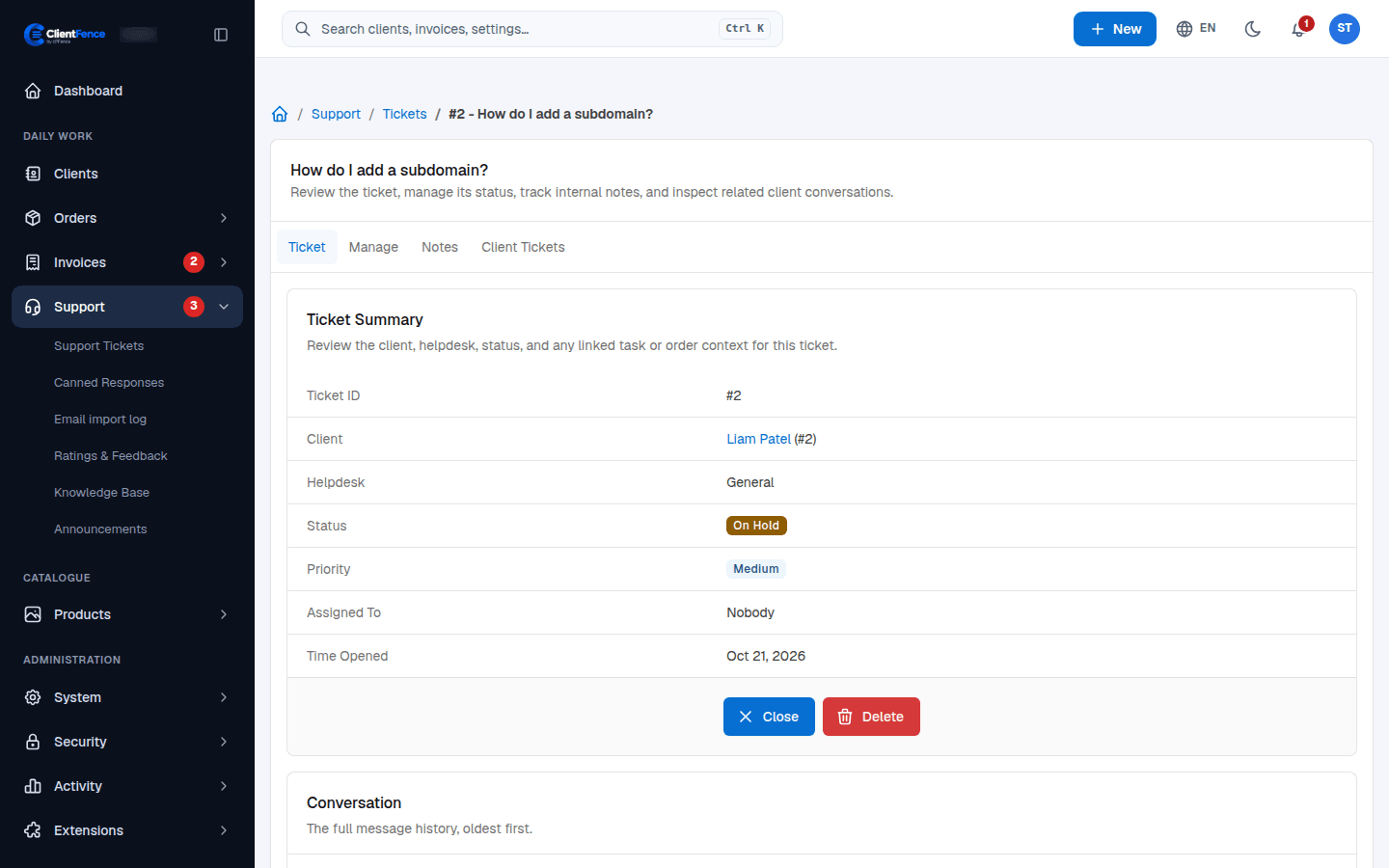
| Tab | What it is for |
|---|---|
| Manage | Change the subject, helpdesk, status, priority and Assigned To. The assigned staff member gets an email. |
| Notes | Staff-only notes. Clients never see them. |
| Client Tickets | The client’s other tickets. |
In the list, tick tickets to Pin, Merge, Close or Delete them together.
In the client area
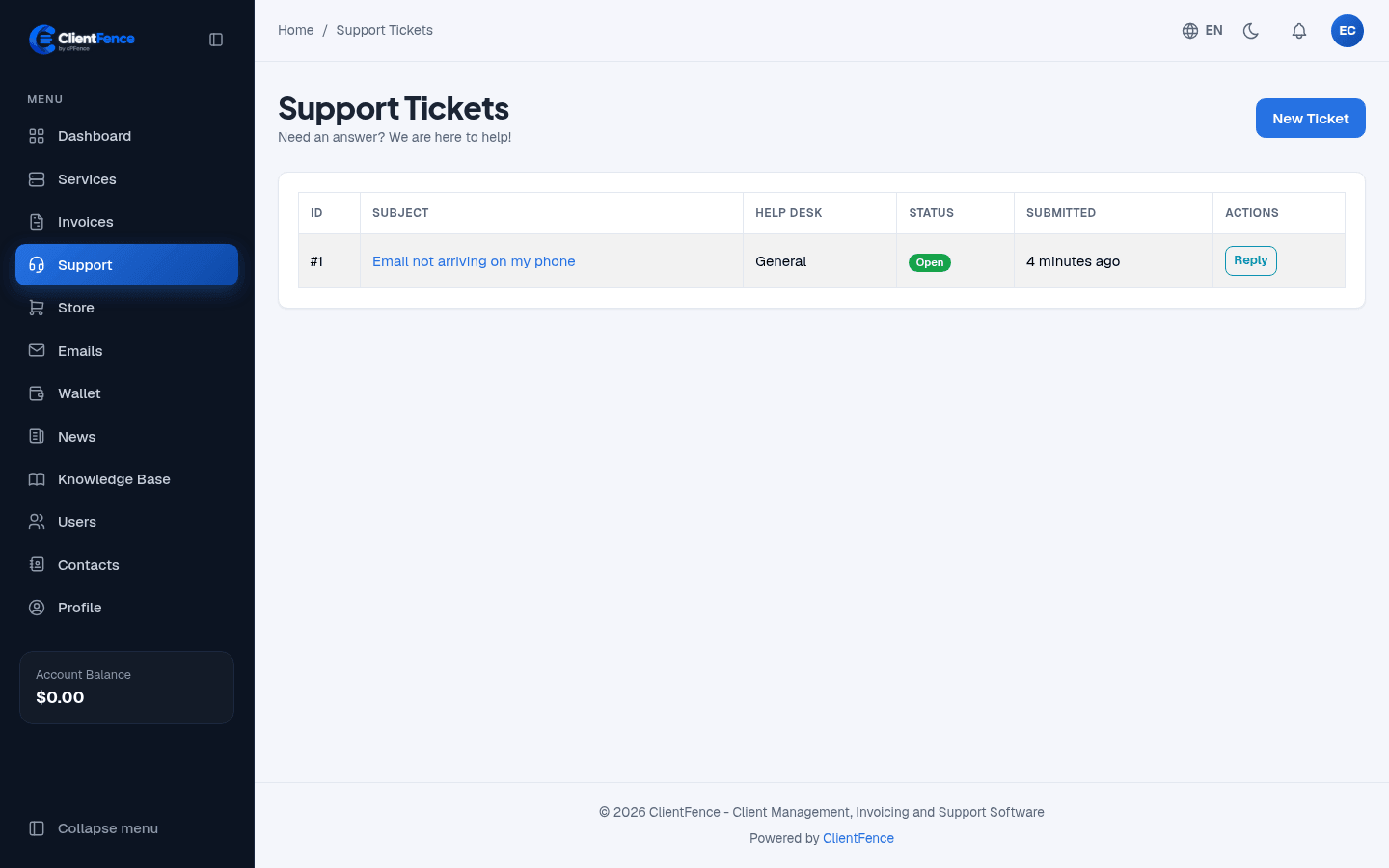
Section titled “In the client area”Clients select New Ticket, pick a help desk and write their message, with files if needed. A reply to a closed ticket reopens it, unless the ticket can no longer be reopened.
Auto replies, helpdesks and how long ticket files are kept are under System → Settings → Support.
When ticket secrets are on, clients can add server logins and other secrets to a ticket, encrypted and out of the message.
Merge tickets and set escalation
Section titled “Merge tickets and set escalation”Open either ticket’s Manage tab. Under Merge Tickets, enter the other ticket numbers for the same client or guest. Select Merge and review the confirmation. The oldest ticket keeps the combined messages, notes, and attachments.
Under System → Settings → Support, use Escalation Rules to decide what happens when a ticket waits too long. A rule can move a ticket, assign staff, change its priority, or send a reply. Review who can open the ticket before sharing attachments.
See Email-to-ticket for incoming mail and Network Status for outages and planned work.
For department policies, see Helpdesks. Configure Escalation rules for unanswered tickets and review Ratings and feedback for service quality.