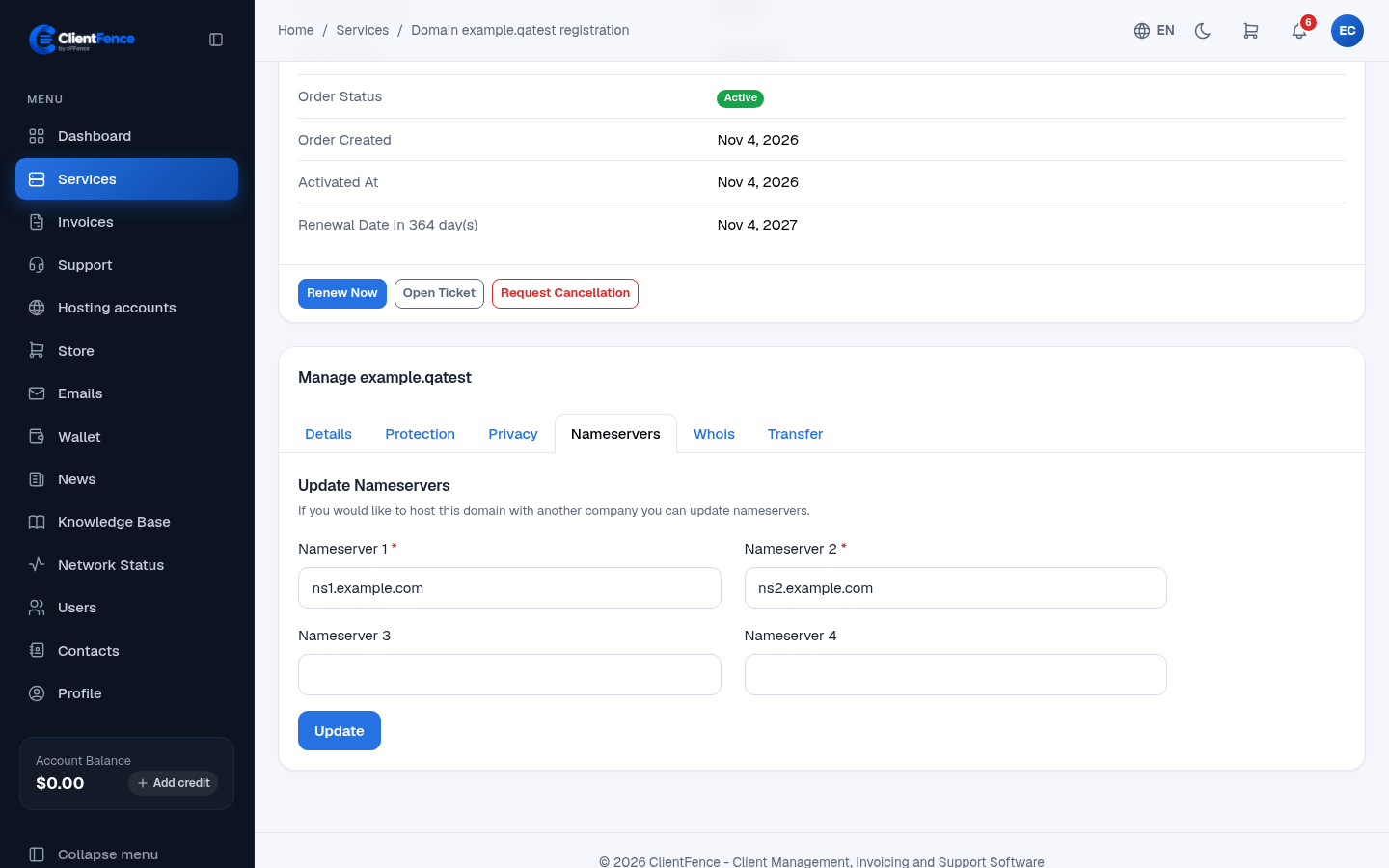
Manage a registered domain
Manage a domain from its service page in the client area. Available actions depend on the registrar and TLD; an unsupported operation returns an error.
- Open Services, select the domain and open its management section.
- On Details, review its dates and last synchronization. Use Sync Now to refresh registrar details.
- Choose the tab for the change you need, save it, then verify the result.
| Tab | Task |
|---|---|
| Nameservers | Enter Nameserver 1 and Nameserver 2, plus additional nameservers when required, then update. |
| Whois | Update the domain’s registration contact details. |
| Protection | Use Lock to prevent transfer or Unlock before an intended transfer. |
| Privacy | Enable or disable privacy protection when the registrar supports it. |
| Transfer | Request the domain’s transfer code for a move to another registrar. |
Keep transfer codes private. Unlock only when transferring; changing nameservers does not require moving the registration.
Registrar changes and DNS propagation are separate. After changing nameservers, verify delegation and your DNS zone. A hosting domain’s diagnostic page only reports DNS; it does not provide these registrar controls.
For selling registrations and configuring registrars, see Domain sales.