

Hosting pages in the client area
Clients manage their hosting from two places in the client area.
Services
Section titled “Services”Services lists every order with its price, next due date and status. Manage opens the Service Details page.
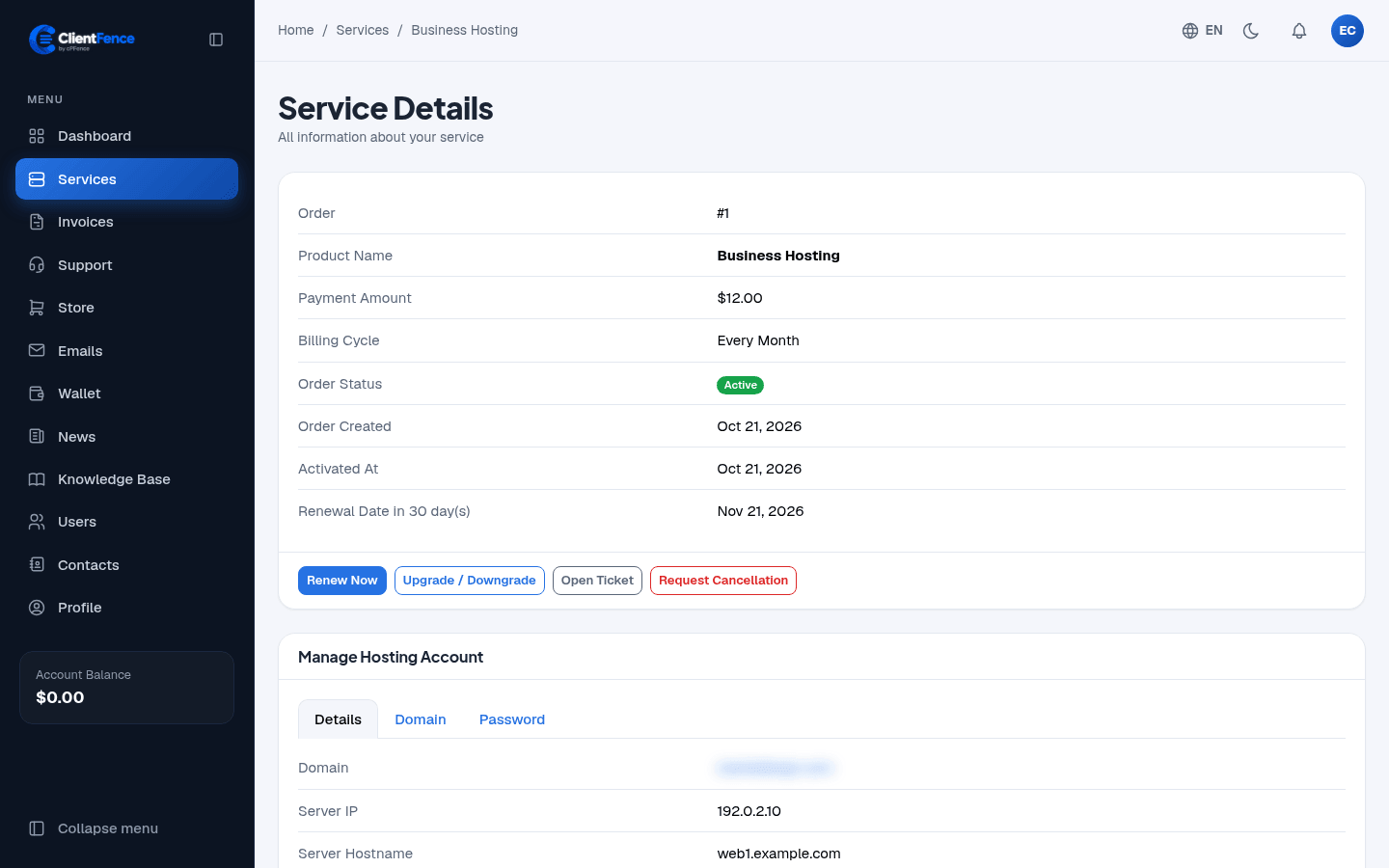
| Button or tab | What it does |
|---|---|
| Renew Now | Makes a renewal invoice now. |
| Upgrade / Downgrade | Moves to another plan. See Upgrades and downgrades. |
| Open Ticket | Starts a support ticket about this service. |
| Request Cancellation | Opens a cancellation request. |
| Manage Hosting Account | Shows the domain and server, and lets the client change the domain or the control panel password. |
Hosting accounts
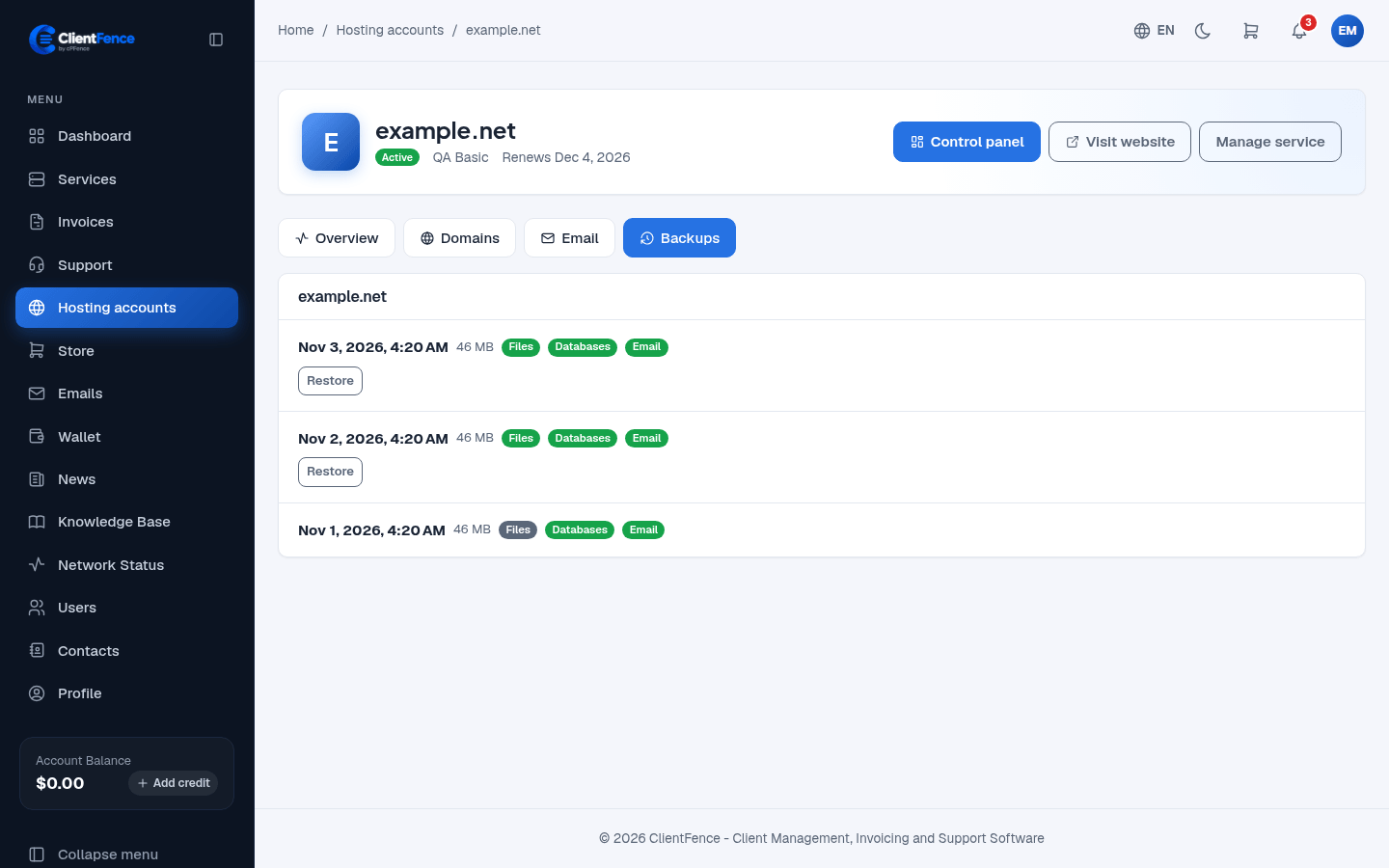
Section titled “Hosting accounts”While the Enhance panel is on (see Connect Enhance servers), the menu also has Hosting accounts, with one card per account. An account page has:
- Control panel: opens Enhance for this account. Visit website opens the site.
- Overview: disk, traffic, visitors and the last backup, read live from the server.
- Domains: checks in public DNS whether the domain points to the hosting and gets its mail there, and says what to fix.
- Email: create and delete mailboxes and forwarders, change passwords, set automatic replies and open webmail.
Authorized users see these pages only with the matching permissions. See Client users.
Restore an Enhance backup
Section titled “Restore an Enhance backup”- In Hosting accounts, open the account and select Backups.
- Pick a backup and select Restore. Choose whether to include email where offered.
- Review what will be replaced, then select Restore backup and confirm.
Restore is available to the account owner when staff turn on Clients can restore backups on the hosting product’s Configuration tab.
See Hosting email for mailbox and forwarding tasks, and Hosting DNS for website and mail status checks.