

Sell and validate software licences
A software licence product issues a key that your software checks with ClientFence. This is separate from a sold API key product.
- Create a License product, set its pricing and activation policy, then open Configuration.
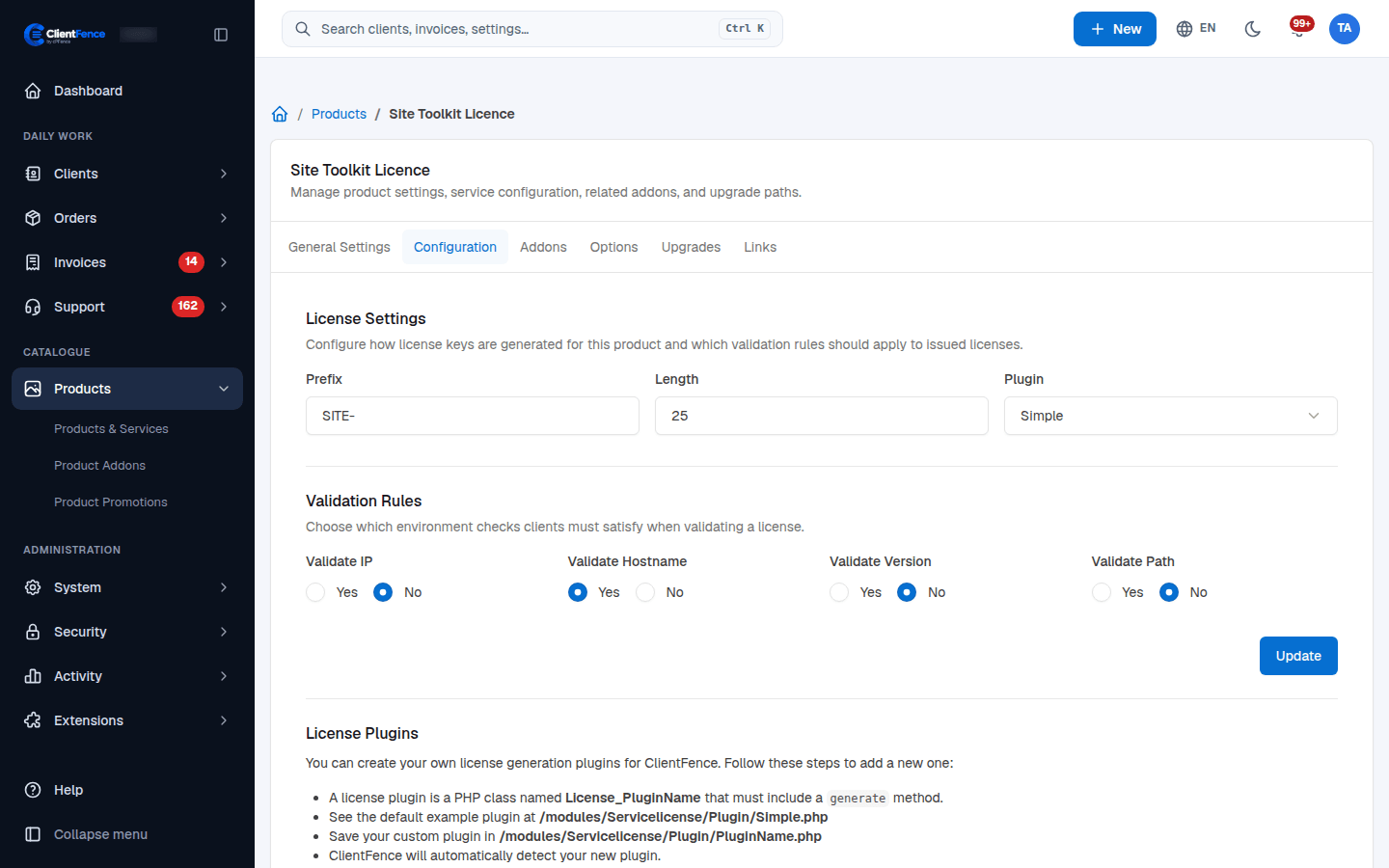
- Set Prefix, Length and Plugin. The built-in Simple plugin generates licence keys.
- Choose Validate IP, Validate Hostname, Validate Version and Validate Path according to the environments you license. Select Update.
- Activate a test order. Open its Service Management tab to review the issued key and allowed environment values.
- Integrate the check endpoint below, then test an allowed installation and a rejected one.
Checks require license, host, version and path; the server detects the requesting IP. Enabled environment checks bind empty values on the first valid check. Review or reset bindings when an installation moves. See Licence logs and bans for rejected checks.
Command-line check
Section titled “Command-line check”curl --request POST 'https://billing.example.com/api/guest/servicelicense/check' \ --data-urlencode 'license=YOUR-LICENCE-KEY' \ --data-urlencode 'host=app.example.com' \ --data-urlencode 'version=1.0' \ --data-urlencode 'path=/var/www/app' \ --data 'format=2'Read the JSON result’s valid and error fields; an HTTP response alone does not mean the licence passed.