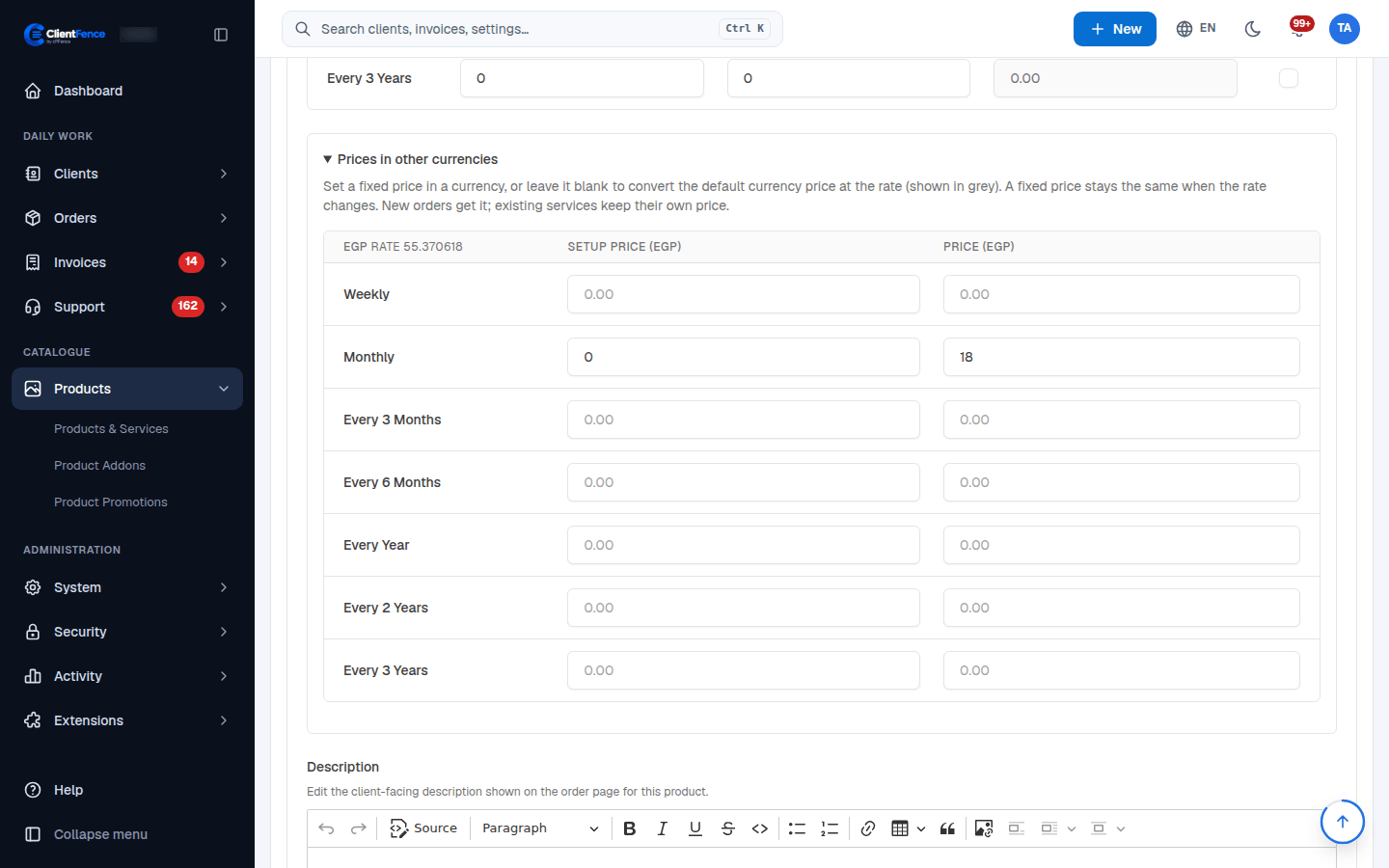
Set fixed prices by currency
Set a fixed catalogue price when you want a local-currency price to stay stable as exchange rates change.
- Add the currencies under Currencies.
- Open Products, edit a product and expand Prices in other currencies beneath its pricing.
- Enter the Price and, where applicable, Setup Price for each enabled billing period.
- Leave a field blank to convert the default-currency price at the current rate. The grey placeholder shows the converted amount.
- Save with Update and check the order form in that currency.
A fixed price stays unchanged when the rate changes. Zero is an explicit zero price; blank means conversion. Free products remain free in every currency.
The same pricing section is available for add-ons and domain TLD prices. Catalogue changes apply to new orders; existing services keep their agreed recurring prices. To update those, use Bulk price updates.