

Embed forms on other websites
Embed Parts shows a sign-in form, domain checker or contact form on another website. If it is off, turn on Embed Parts in Extensions → Overview first.
Add a form to your website
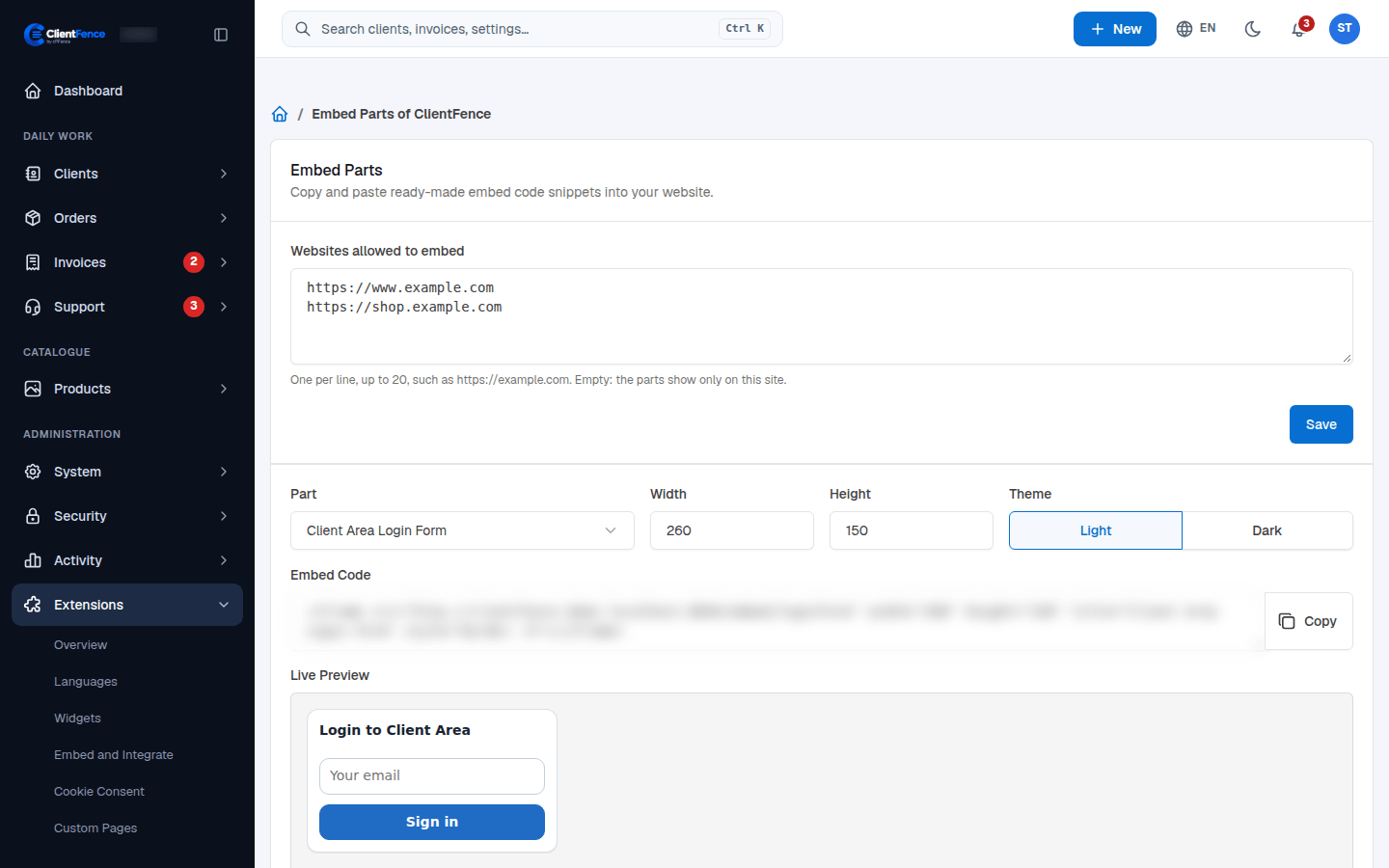
Section titled “Add a form to your website”- Go to Extensions → Embed and Integrate.
- Fill in Websites allowed to embed, one website per line, up to 20. Use an address
such as
https://example.com, with an optional port and no page path. - Select Save. Your website must be listed so the browser can show the form there. An empty list allows the parts only on the ClientFence site.
- Choose a Part, set Width and Height, and choose Light or Dark under Theme. The Embed Code and Live Preview follow your choices.
- Select Copy and paste the code into your website’s HTML.
| Part | What it does |
|---|---|
| Client Area Login Form | Asks for an email address, then opens the client-area sign-in page. The password, CAPTCHA and two-factor code are entered there when required. |
| Domain Checker Form | Checks whether a domain is available. |
| Contact Us Form | Lets visitors send a contact request. |