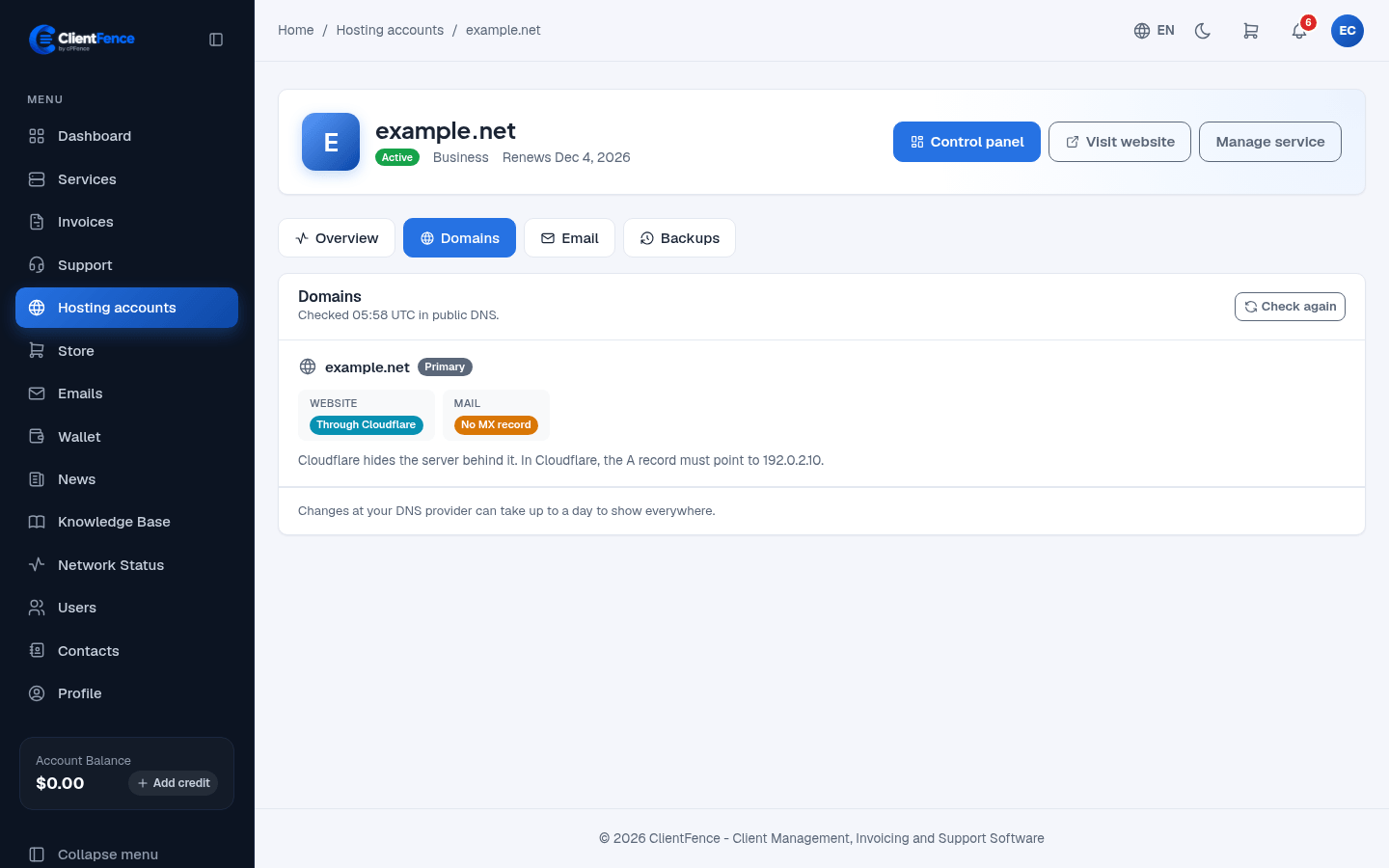
Check hosting domain DNS status
The hosting Domains tab diagnoses public DNS. It does not edit DNS records or register a domain.
- In the client area, open Hosting accounts, select an account and choose Domains.
- Review the Website and Mail result for each domain.
- Compare any expected address or mail destination with the records at your DNS provider.
- Make the correction there, allow DNS caches to expire, then select Check again.
| Result | What to check |
|---|---|
| Website points elsewhere | Point the A record to the hosting address shown, unless another destination is intentional. |
| No address in DNS | Check delegation at the registrar and the domain’s address records. |
| Cloudflare | Public records hide the origin. Check the A record’s origin address inside Cloudflare. |
| Mail points elsewhere | MX records route email to another provider; local mailboxes will not receive it here. |
| No mail records | Check the MX records required by the intended mail provider. |
Results have a check time and are cached. Rapid repeated refreshes can be refused; wait before trying again. External mail hosting can be intentional, so confirm the intended provider before changing MX records.
For registrar nameservers and transfer controls, use Manage registered domains.