

Set up domain sales
Connect a supported registrar to sell domain registrations, transfers and renewals. You can choose a different registrar for each domain extension.
Connect a registrar
Section titled “Connect a registrar”- Go to System → Domain Registration and open the Registrars tab.
- Select New Domain Registrar and install your registrar under Available Registrars.
- Open the installed registrar, enter the connection details it requires, and select Update.
For manual fulfillment, choose Email to receive notifications when domain actions need attention, or Custom to handle them outside ClientFence.
Add a domain extension
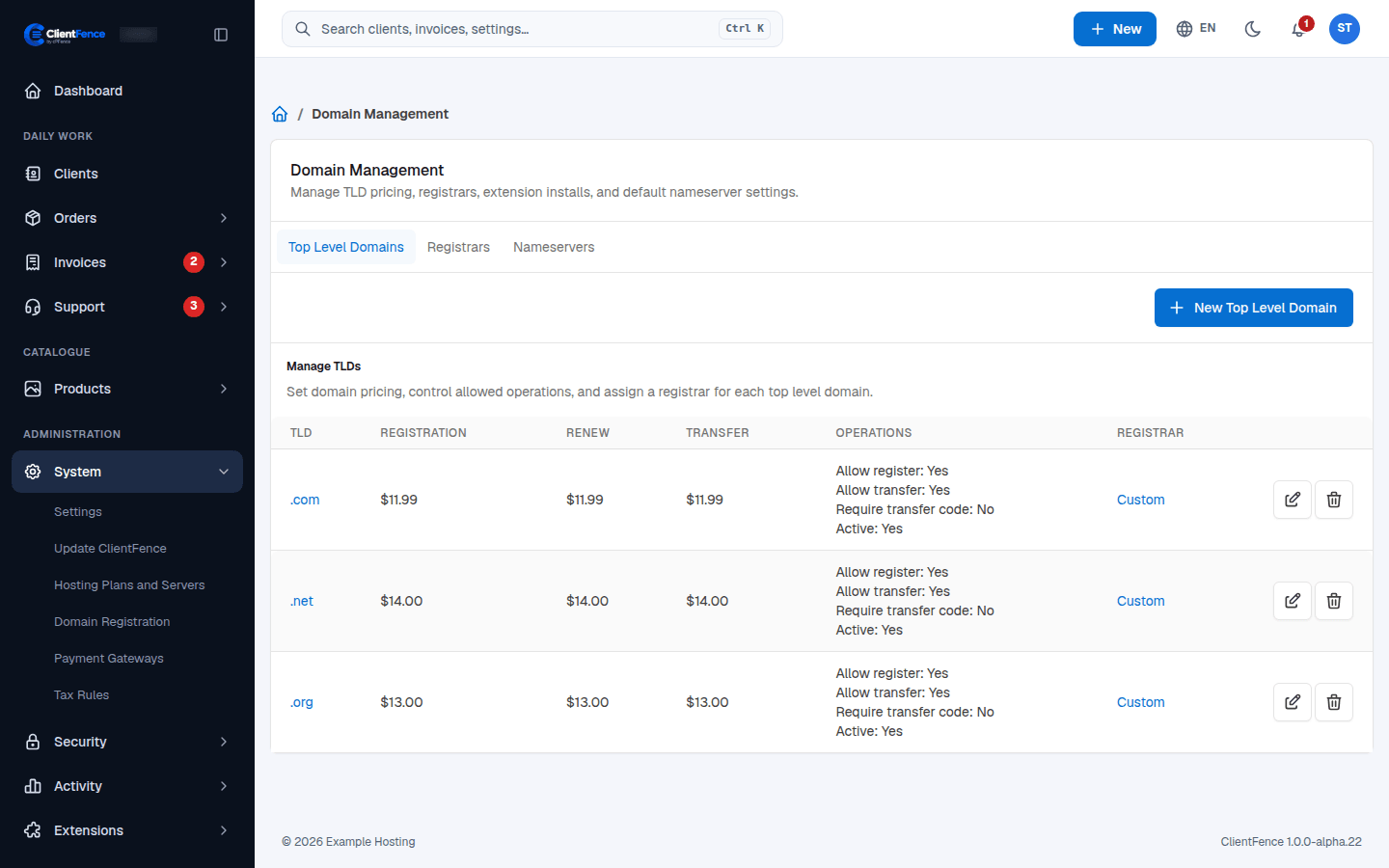
Section titled “Add a domain extension”- On the Top Level Domains tab, select New Top Level Domain.
- Enter the TLD (for example
.com), pick the Registrar, and set the Registration Price, Renewal Price and Transfer Price. - Choose Allow Registration, Allow Transfer, Require Transfer Code and Active, then save.
Free domain renewals with hosting
Section titled “Free domain renewals with hosting”On the hosting product’s Configuration tab, use Free Domain Renewals to keep a domain included with the hosting free at renewal. The domain renews at zero while its associated hosting is active or suspended.
Default nameservers
Section titled “Default nameservers”On the Nameservers tab, set the nameservers used for new registrations when a client does not give their own, then select Update Nameservers.
Set up Dynadot
Section titled “Set up Dynadot”- In your Dynadot account, open Tools → API and add your ClientFence server’s IP address to the API allow list.
- In ClientFence, open Dynadot on the Registrars tab and enter your API key.
- To try orders without real registrations, add a Sandbox API key and turn on Enable Test Mode.
- Select Update.
Keep enough balance in your Dynadot account for registrations and renewals. The Dynadot integration supports standard-priced domains.
Manage a registered domain
Section titled “Manage a registered domain”In the client area, go to Services and open the domain. The domain page lets clients update nameservers and contacts, manage the transfer lock and privacy, and get the EPP code where the registrar and extension support those actions. Check the last sync time before acting on stale details. Share EPP codes only with the intended recipient.
After activation, clients can manage their registered domains, including nameservers, contact details and transfer protection.