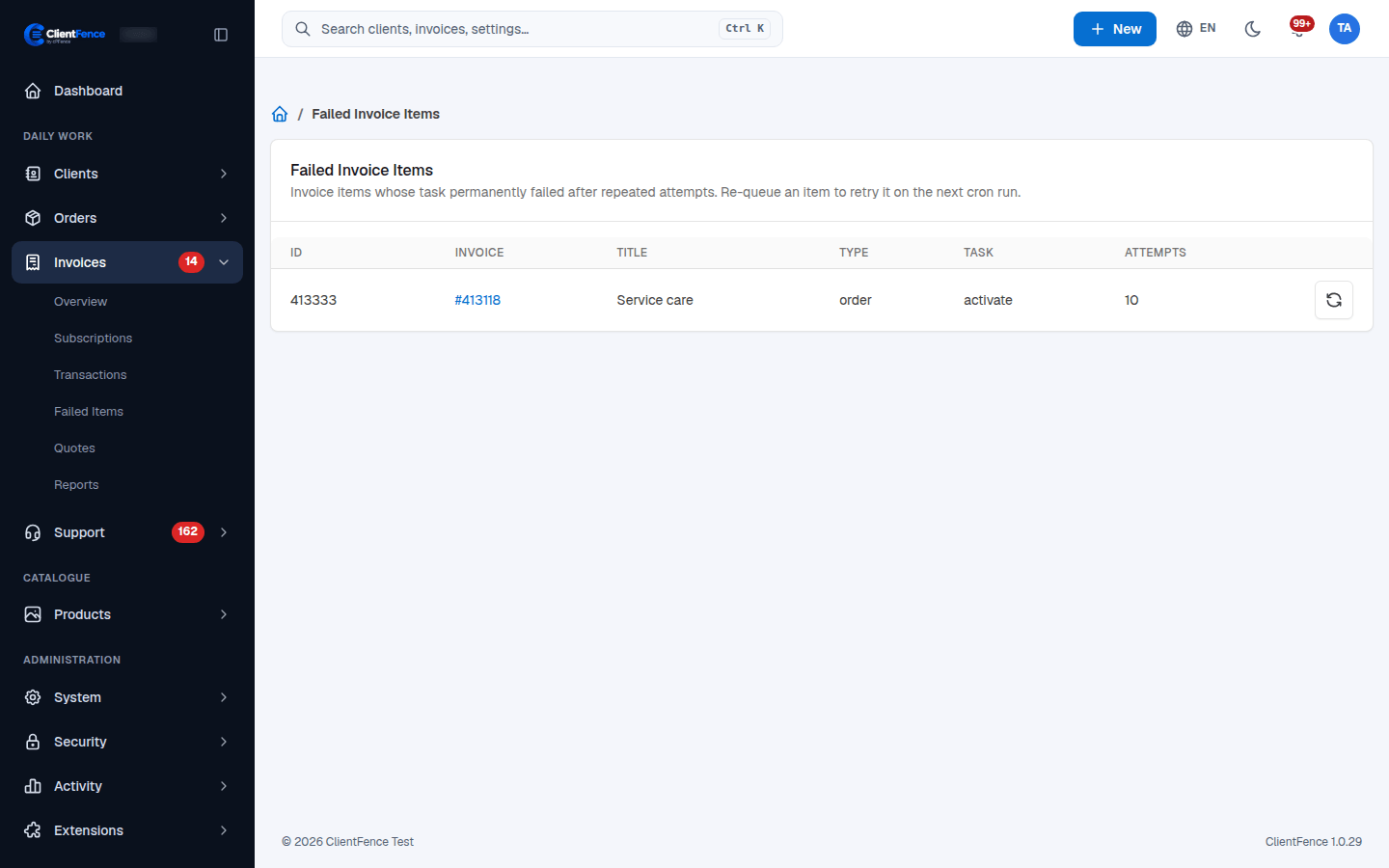
Recover failed invoice tasks
A paid invoice can have a follow-up task, such as activating or renewing a service. Repeated failures eventually appear in Invoices → Failed Items.
- Open the list and note the Invoice, Type, Task and Attempts.
- Follow the invoice link and inspect its linked order. Check the activity log and the relevant server or integration.
- Correct the cause, then return to the failed items list and select Re-queue for that item.
- Allow the next cron run to execute it. Confirm the intended service state and that the item leaves the list.
Re-queuing resets the task’s attempt counter; it does not collect another payment. Check the service before retrying an action that may already have reached an external provider.
Orders → Failed actions is a separate queue for order operations. Use Failed order actions for that queue.