

Refund a paid invoice
Record the refund in ClientFence after arranging the return of money through the original payment method, or put it into the client’s credit instead.
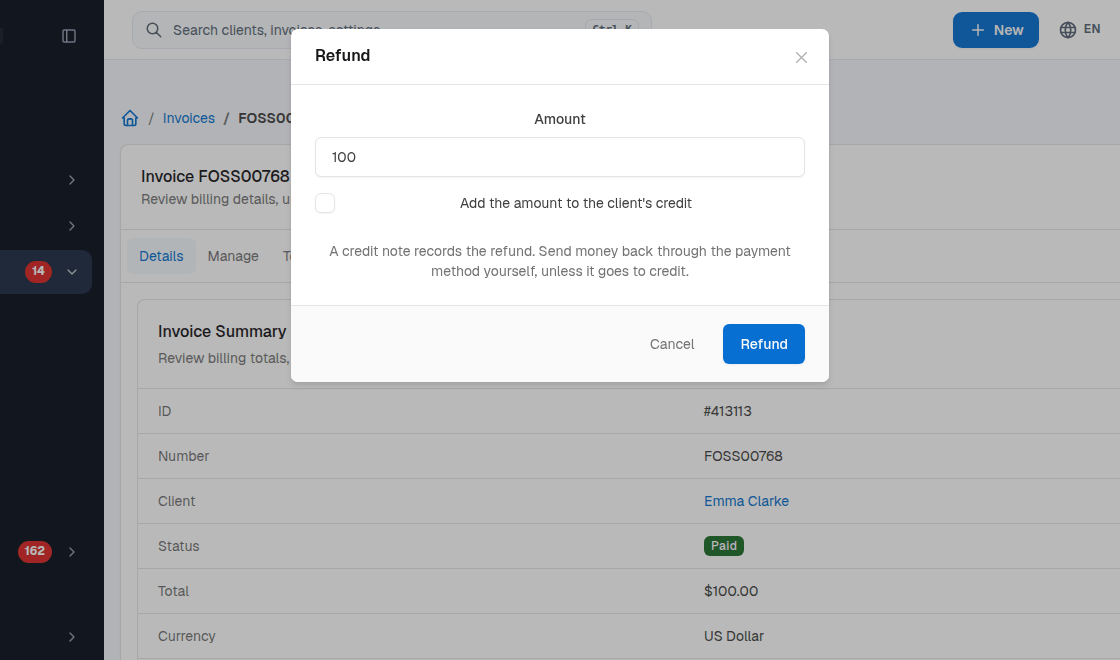
- Open the paid invoice and select Refund.
- Enter the Amount. Leave the suggested amount to refund the remaining refundable total.
- Tick Add the amount to the client’s credit to put it in the client’s balance. To return money through the original payment method, send it back through that method yourself.
- Select Refund to record it. A partial refund leaves the invoice Paid until the full amount is refunded.
To record partial refunds or refunds to credit, set Refunds Logic to Credit Note or Negative Invoice. See Taxes and credit notes.