Inspect widgets and event hooks
These pages help administrators and extension developers inspect how modules connect to the interface and application events.
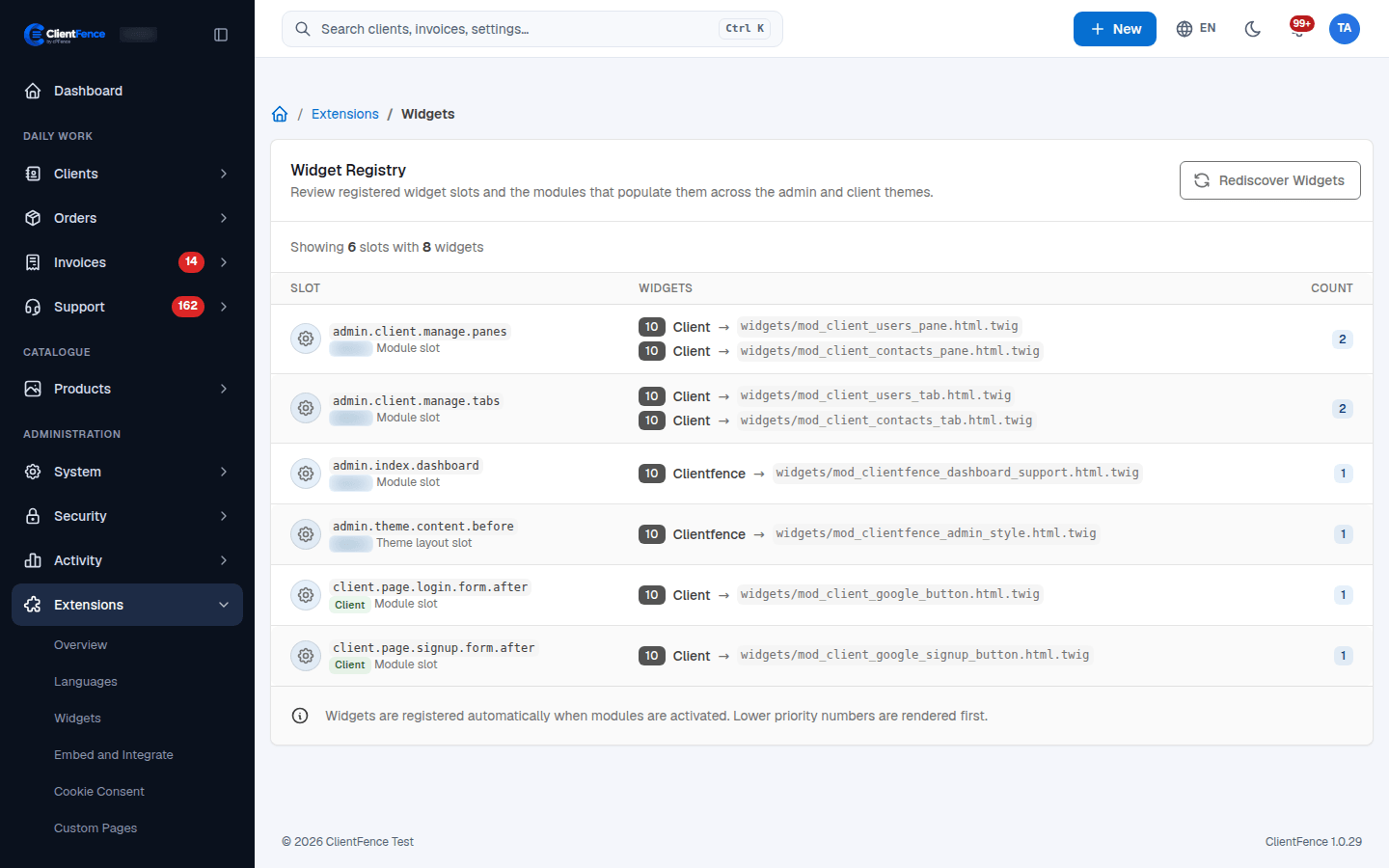
Widget Registry
Section titled “Widget Registry”- Open Extensions → Widgets.
- Find the slot used by the page you are investigating. Review the module, template and priority of each entry.
- If an installed module’s widgets are missing after an update, select Rediscover Widgets and reload the affected page.
Widgets are discovered from module declarations. Lower priority numbers render first within a slot. Rediscovery rebuilds this registry; it does not create a custom widget or enable a disabled module. Check the module and its declared template if an entry remains missing.
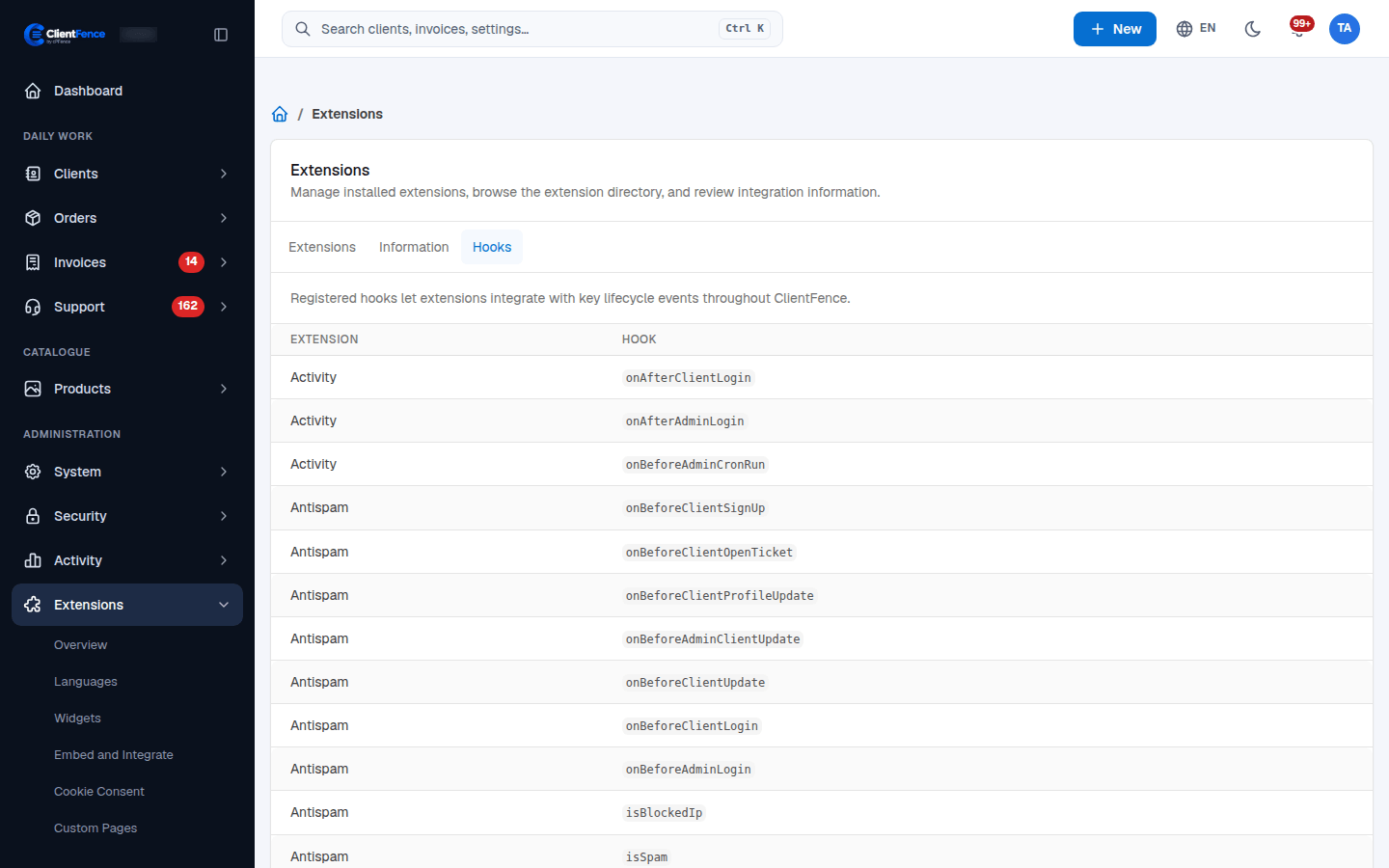
Registered hooks
Section titled “Registered hooks”- Open Extensions → Overview → Hooks.
- Review the registered module and event pairs.
- Check that the relevant extension is active and cron is running if an expected listener is missing.
Modules declare event listeners in their service classes. ClientFence connects those listeners during extension activation and cron’s hook-registration task. Administrators with hook-management permission can reconnect declared listeners through hook/batch_connect; existing connections are not duplicated.
The table is diagnostic, not a form for adding arbitrary event handlers. Manual hook invocation is restricted to Super Administrators and can run real business actions; avoid using it to test a production integration.