

Send invoices to Xero, FreeAgent or QuickBooks
The accounting sync sends approved invoices with their clients, payments and refunds to Xero, FreeAgent or QuickBooks Online. It works one way: nothing comes back from the program. Cron sends the changes every few minutes. The settings are at the end of System → Settings → Invoices, under Accounting.
Create the app in your program
Section titled “Create the app in your program”ClientFence connects with an app you create in the program’s developer portal, so the access belongs to your own account.
| Program | Developer portal |
|---|---|
| Xero | developer.xero.com, My Apps |
| FreeAgent | dev.freeagent.com |
| QuickBooks Online | developer.intuit.com, an app with the Accounting scope |
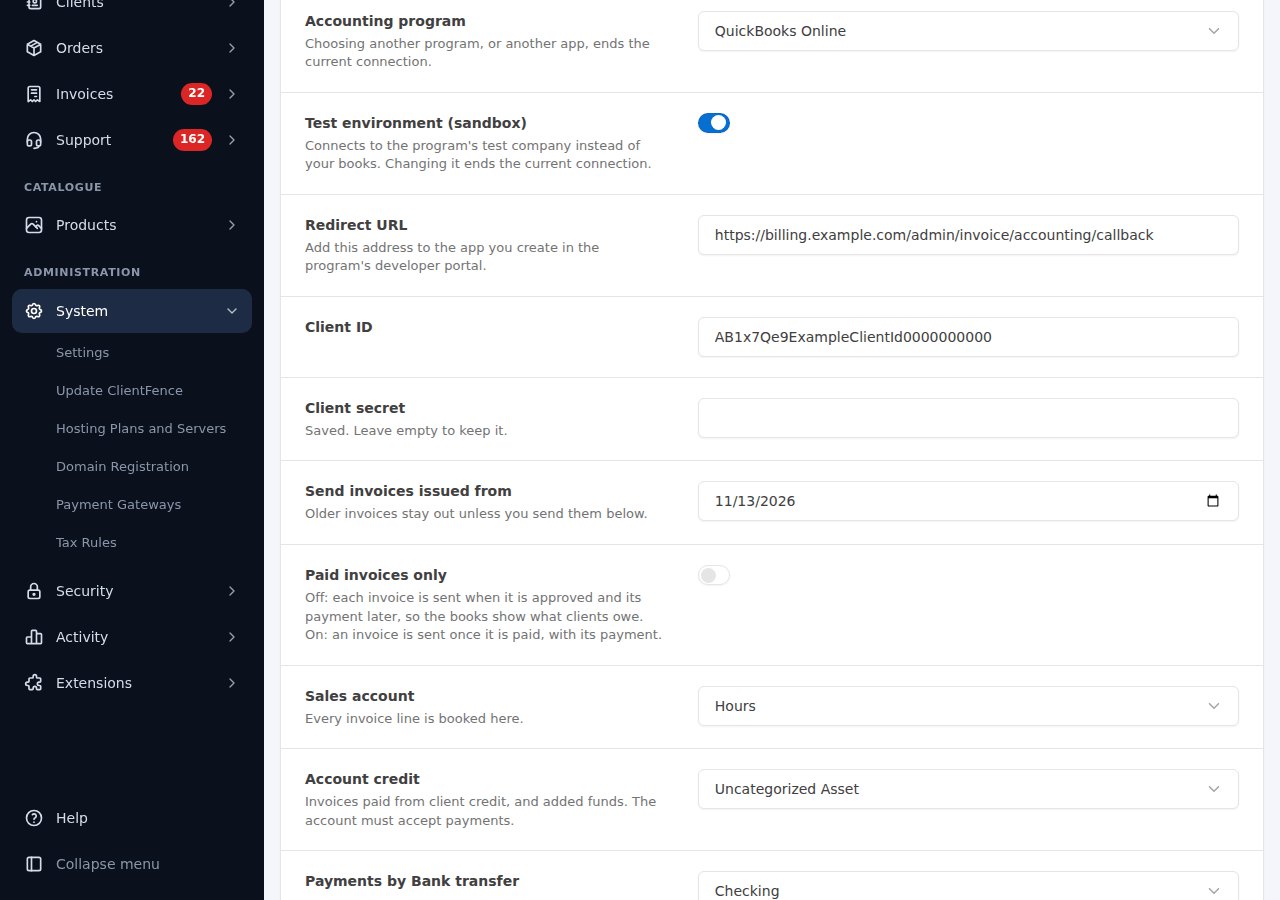
- Select the program in Accounting program. The Redirect URL under it is your portal’s address for the program.
- In the developer portal, create a web app and add that Redirect URL to it.
- Copy the app’s Client ID and Client secret into ClientFence and select Save accounting settings. The secret is stored encrypted.
- Select Connect and approve the access in the program. In Xero, choose the organisation.
FreeAgent and QuickBooks have a test company: turn on Test environment (sandbox) to try the sync there first. Changing the program, the app or the sandbox switch ends the connection; a new program, sandbox or company also clears the account and tax choices.
Choose where things go
Section titled “Choose where things go”Once connected, the page lists your program’s accounts and tax rates.
| Setting | What to choose |
|---|---|
| Sales account | Where every invoice line is booked. In QuickBooks, a product or service. |
| Payments by each payment method | The bank account its payments go into. |
| Account credit | The account for invoices paid from client credit and for added funds, such as a “Client credit” bank account. It must accept payments. |
| Tax: each of your tax rates | The program’s matching rate. |
In QuickBooks, also create a product or service whose income account is the Account credit account: added funds are booked with it. With US manual sales tax, QuickBooks takes one tax rate per invoice.
Send invoices issued from sets the first invoice date to send. Paid invoices only sends an invoice once it is paid, with its payment; when off, each invoice goes when it is approved, so the books show what clients owe.
What the program gets
Section titled “What the program gets”| In ClientFence | In the program |
|---|---|
| Client | A contact (a customer in QuickBooks), sent with the client’s first invoice, credit note or added funds |
| Approved invoice | A sales invoice with your invoice number |
| Payment | A payment on that invoice, into the mapped account |
| Refund | A credit note paid out (a refund receipt in QuickBooks) |
| Added funds, overpayment | Booked to the account credit account (in FreeAgent, a transfer between the two bank accounts) |
| Cancelled unpaid invoice | Voided, or deleted where the program cannot void it |
Map each payment method to a bank account in the currency its clients pay in. In FreeAgent, a bank account in your company’s currency also takes other currencies: payments converted at FreeAgent’s rate, added funds at the rates on System → Settings → Currency.
The sync log
Section titled “The sync log”Sync log lists each record with its status: Waiting, Sent, Failed, will try again, Stopped or Voided, and the program’s message when it failed. Fix the cause, then select Send again on the record or Send all again. Send older invoices sends invoices issued before the start date.
Disconnect stops the sync. To take back the access completely, also remove the connection in the program.