

Add a language ClientFence does not ship
When your language is not on Extensions → Languages (check Disabled Translations too),
you can add it yourself. You translate one template file, build one messages.mo file and upload it.
To turn the shipped languages on or off, see Languages.
You need the GNU gettext tools (msginit, msgfmt and msgmerge; on Debian and Ubuntu the
gettext package). The examples use Irish, ga_IE.
Translate and build the file
Section titled “Translate and build the file”-
Download
src/themes/palisade/locale/clientfence.potfrom the ClientFence repository, at the tag of your version (for examplev1.0.57). It holds every text ClientFence shows. -
Start your translation. The code is the language, an underscore and the country, such as
ga_IE:Terminal window msginit --input=clientfence.pot --locale=ga_IE --output-file=ga_IE.po --no-translator -
In
ga_IE.po, write each translation in themsgstrline under its English text. Keep placeholders such as%count%,:name,%sand HTML tags exactly as they are. Texts you leave empty show in English, so you can start with the menus and add the rest later. -
Build the file. The folder name must be the code:
Terminal window mkdir -p ga_IE/LC_MESSAGESmsgfmt --output-file=ga_IE/LC_MESSAGES/messages.mo ga_IE.po
Keep ga_IE.po: you need it for every change.
Upload and turn it on
Section titled “Upload and turn it on”- Upload the
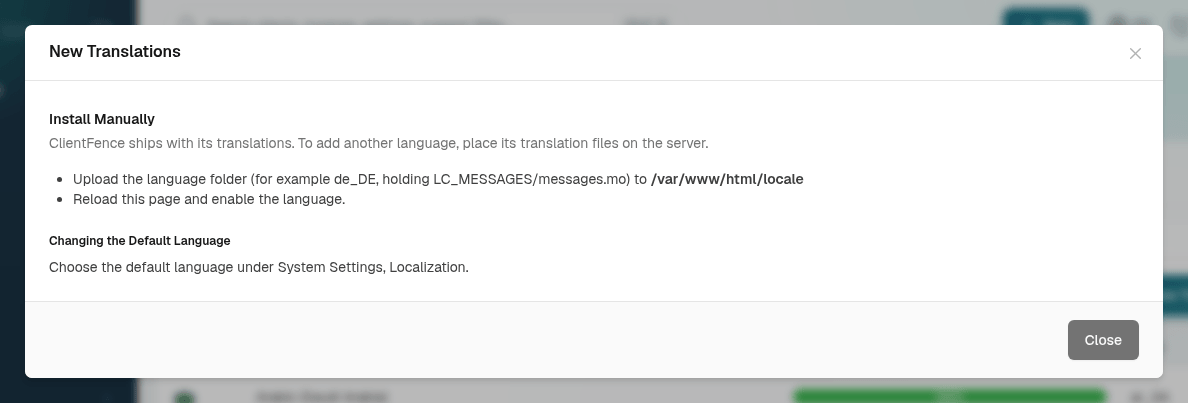
ga_IEfolder into thelocalefolder of your ClientFence site, with the site’s own account (SFTP or the file manager). New Translations on Extensions → Languages shows the full path. - Reload Extensions → Languages. The new language is already on Enabled Translations, and clients and staff can pick it from the language menu.
| What you see | Why |
|---|---|
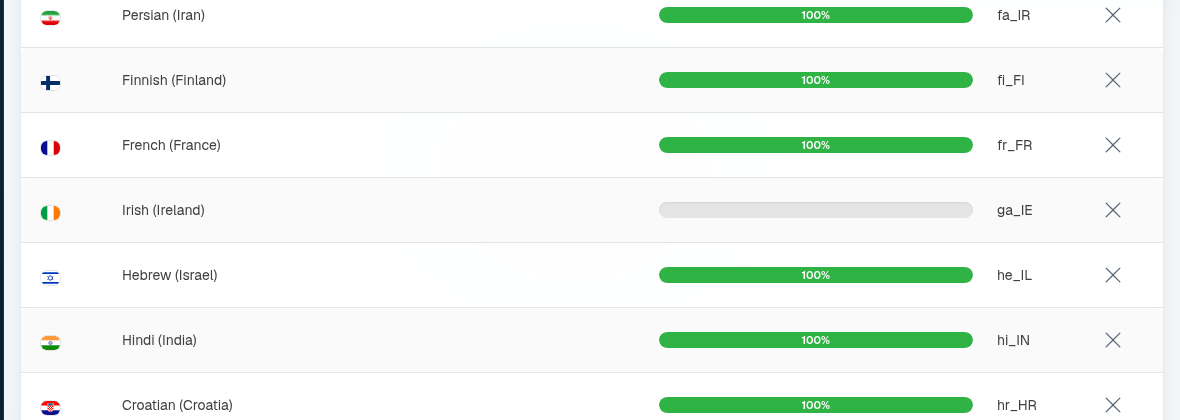
| The Completion bar is empty (0%) | ClientFence counts completion only for the languages it ships. |
The client language menu shows the code (ga_IE) |
The menu shows a language’s own name only for codes ClientFence knows, such as ur_PK or ja_JP. |
Pages in Urdu (ur) and Yiddish (yi) read right to left, as Arabic, Hebrew and Persian do.
Before you announce a language in a script other than Latin, open an invoice PDF in it and check the letters.
After an update
Section titled “After an update”System → Update ClientFence keeps your folder and its on or off setting. Texts a new release adds show in English until you add them:
-
Download
clientfence.potagain, at the tag of the new version. -
Add its new texts to your file; your translations stay:
Terminal window msgmerge --update ga_IE.po clientfence.pot -
Translate the new empty
msgstrlines, buildmessages.moagain as above and upload it over the old one.
Share your translation
Section titled “Share your translation”To have your language ship with ClientFence, send us your .po file (not the .mo; we build
that). Name it clientfence.po and keep the code in its folder, such as sq_AL for Albanian:
- With a GitHub account and Git: open a pull request on the
ClientFence repository that adds
src/themes/palisade/locale/sq_AL/clientfence.po, made from theclientfence.potof the latest release. - Without Git: open a Feature request
titled
Translation: Albanian (sq_AL), put your.pofile in a.zipand attach it.
Once it ships, we keep it up to date with each release.