

Close the portal for maintenance
Maintenance mode closes the client area and the store to visitors while you work on the portal, as in WHMCS. The admin area stays open, and staff who are signed in still see the client area.
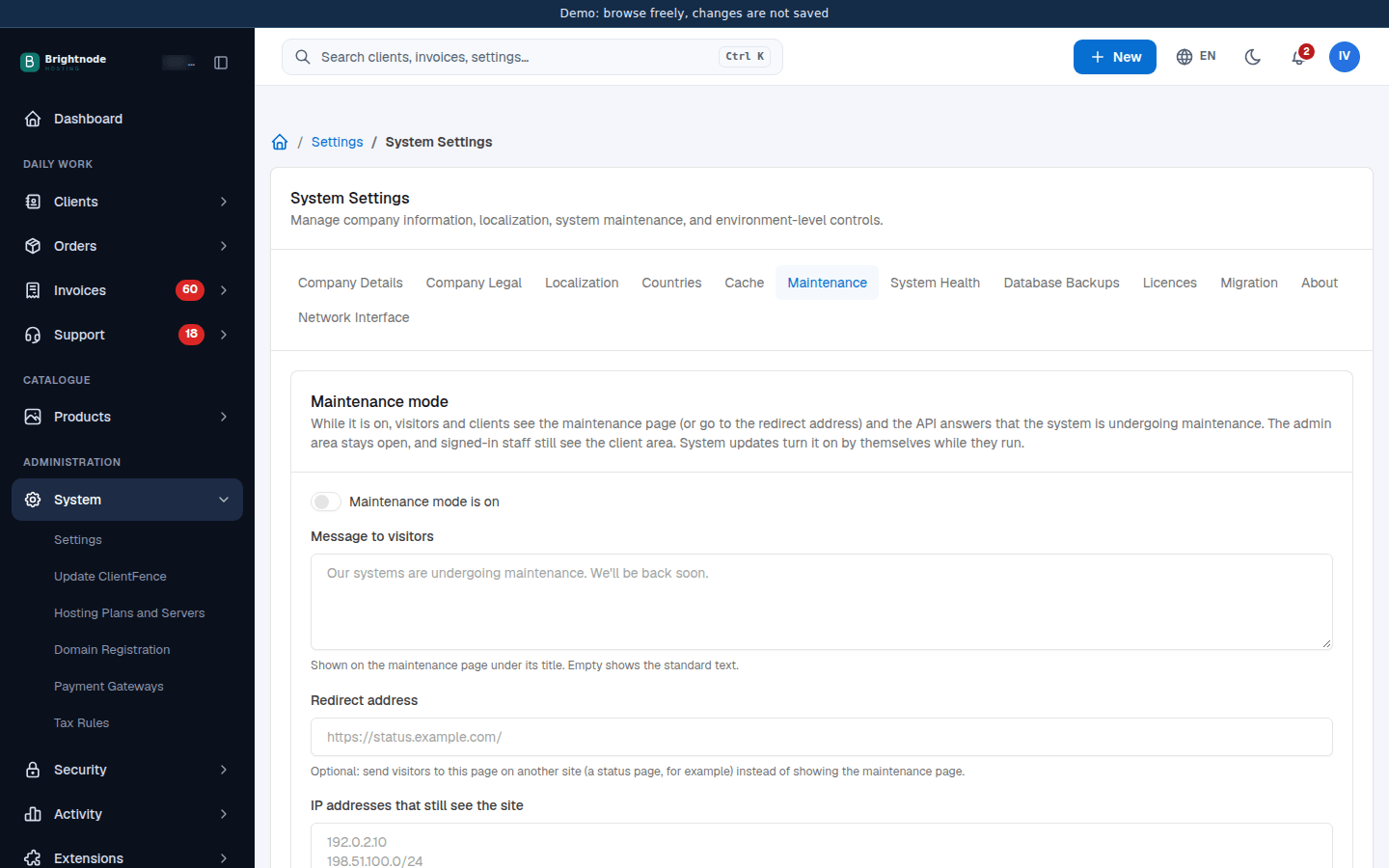
- Go to System → Settings → System → Maintenance.
- Write your Message to visitors, or leave it empty for the standard text.
- Optional: enter a Redirect address on another site, such as a status page. Visitors go there instead of seeing the maintenance page.
- Optional: under IP addresses that still see the site, add one IP address or range per line. The hint shows your own IP address.
- Turn on Maintenance mode is on and select Save.
While it is on, every admin page shows a yellow Maintenance mode is on. banner. Its Maintenance settings link brings you back here to turn it off. The API answers that the system is undergoing maintenance. Licence checks keep working.
System updates turn maintenance mode on while they run and set it back as it was afterwards. See Update ClientFence.
The setting lives in config.php under maintenance_mode (enabled, message, redirect_url,
allowed_ips), so you can also change it there (see the config.php reference). Set 'enabled' => false to reopen the portal.