

Connect your registrar
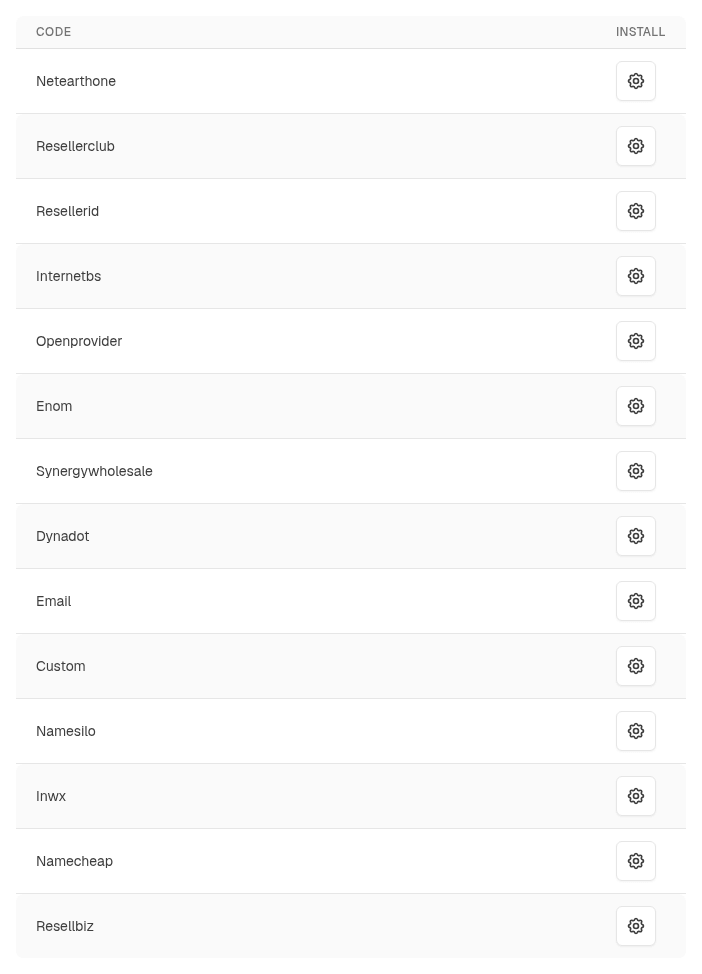
Install the registrar on System → Domain Registration → Registrars (see Set up domain sales), open it, enter the details below and select Update. Allow your ClientFence server’s IP address in the registrar’s API settings where it has an allow list, and keep enough account funds for registrations and renewals. ClientFence renews a domain when its renewal invoice is paid: with CentralNic Reseller, Enom, INWX, OpenSRS, Openprovider, OVHcloud, Porkbun and Realtime Register the registrar’s own auto-renewal stays off, and with NameSilo it is off unless you turn it on. CentralNic Reseller, ConnectReseller, Enom, INWX, NameSilo, OpenSRS, Openprovider, OVHcloud, Porkbun and Realtime Register refuse premium names.
| Registrar | Settings | Test mode |
|---|---|---|
| CentralNic Reseller (RRPproxy, former HEXONET) | Username and Password | OT&E test system: enter your OT&E password |
| ConnectReseller | API key (reseller panel: Tools → Profile Settings → API) | None: keep Enable Test Mode off |
| Dynadot | API key (Dynadot: Tools → API) | Sandbox API key |
| Enom | Reseller ID and API token (Enom: Resellers → API settings) | Enom test account (resellertest.enom.com) |
| INWX | Username and Password of an account without two-factor sign-in | INWX OT&E test account |
| NameSilo | API key (NameSilo: Account → API Manager), optional Payment ID | Sandbox API key |
| Nominet | IPS tag, EPP password and Cost price (GBP) (Nominet Online Services: turn on EPP for the tag and allow your server’s IP address) | Nominet OT&E, with the EPP testbed details |
| OpenSRS (Tucows) | Reseller username and API key (Reseller Control Panel: Account Settings → API settings) | OpenSRS test account |
| Openprovider | Username and Password of an Openprovider API user | Openprovider sandbox account |
| OVHcloud | API endpoint (Europe or Canada), Application key, Application secret and Consumer key with rights on /domain, /order, /me and /service | None: keep Enable Test Mode off |
| Porkbun | API key and Secret API key (porkbun.com/account/api) | A Porkbun sandbox key pair (it starts with pk1_sb_): simulated orders, no charges |
| Realtime Register | Customer handle and API key | Realtime Register OT&E account |
| Synergy Wholesale | Reseller ID and API key (portal: Account Settings → API Information) | None: keep Enable Test Mode off |
The Email registrar
Section titled “The Email registrar”The Email registrar changes nothing at a registrar itself. Each domain action (registration, transfer, renewal, name servers, contact details, lock, privacy protection and transfer code) opens or updates one support ticket per domain, written in the client’s name. The client’s domain page lists the requests waiting for your team, with a link to the ticket, and keeps the current values.
- Make the change at your real registrar.
- On the admin domain page select Mark Done (with an optional transfer code and expiry date), or select Set Task Complete on the ticket.
The domain then gets the new values (the registration date and expiry for a registration, a later expiry for a renewal) and the client gets a reply on the ticket. The registrar has no email address setting.
A new registration’s availability is checked only with Use RDAP Registry Lookups to Check for Domain Availability set to Yes; without it clients cannot order registrations for its extensions.
With support tickets turned off, registrations, transfers, renewals and cancellations from orders go through at once and a warning goes to the activity log, telling your team to make the change at the registrar. Client requests for name servers, contacts, lock, privacy or the transfer code say to contact support (with your outside help desk link when one is set).
Price lists and transfer status
Section titled “Price lists and transfer status”Some registrars also give their price list, for the price import, and report where an incoming transfer stands, for transfer tracking:
| Registrar | Price list | Transfer status |
|---|---|---|
| ConnectReseller, Dynadot, Enom, INWX, Internet.bs, Namecheap, NameSilo, OpenSRS, Openprovider, Porkbun, Realtime Register, Synergy Wholesale, ResellerClub (and Resell.biz, ResellerID, NetEarthOne) | Yes | Yes |
| CentralNic Reseller, OVHcloud | Yes | No: a transfer counts as done once the registrar accepts it |
| Nominet | Your Cost price for every extension and action (Nominet has no price list) | Yes: done once the domain is on your tag |
| Custom | No | No: a transfer counts as done once the registrar accepts it |
| No | No: a transfer is done when your team marks the request done |
Notes per registrar
Section titled “Notes per registrar”- NameSilo: in the API Manager, turn off restorations by renewDomain, and keep NameSilo auto-renewal off. ClientFence refuses to renew a domain in its restore period.
- Openprovider: the client’s address needs a house number.
- Enom: clients can turn WHOIS privacy off but not on, as Enom sells it as a paid service. Turn it on in the Enom control panel.
- Dynadot: standard-priced domains only.
- CentralNic Reseller: new registrations are set to expire unless renewed. Set your account’s default renewal mode to AUTOEXPIRE too, for transferred domains.
- ConnectReseller: each client gets a ConnectReseller customer account under their email address.
- Nominet: transfers in have no transfer code: the current registrar moves the domain to your IPS tag.
Turn on transfer tracking so the order waits for that.
.ltd.uk,.net.ukand.plc.ukregistrations are checked by hand at Nominet: register those in Nominet Online Services. Nominet has no privacy service. - OpenSRS: the transfer code is emailed to the domain’s administrative contact. Change
.dkname servers and contacts in the OpenSRS control panel..auextensions are not offered. - OVHcloud: orders and renewals are paid from your OVHcloud prepaid account. Set the account’s renewal mode to manual; ClientFence also turns OVHcloud auto-renewal off for each domain once it exists. OVHcloud has no privacy service here. The price list comes from OVHcloud’s public catalog (France or Canada), before tax. A new registrant name or email for a .com or other gTLD needs OVHcloud’s owner change: make it in the OVHcloud panel (OVHcloud refuses it through the API). Other contact changes work from ClientFence.
- Porkbun: not tried against a live Porkbun account yet; it follows Porkbun’s API reference. Before you
start, verify the Porkbun account’s email address and phone number, opt all domains in to API access, keep
account credit, and raise the API spend limit (100 USD a month by default). Porkbun sells the registry’s
minimum term only (usually one year): offer one-year registrations and renewals for its extensions, as a longer
order is refused before any charge. Each purchase is quoted first and bought at exactly that price. Porkbun
renews a domain only 30 days or more after its registration or last renewal. Extensions whose registry needs
extra details (such as
.usand.ca) cannot be registered through Porkbun’s API and are refused at checkout, as are internationalized (IDN) names and transfers of.ukdomains. If Porkbun refuses a registration or transfer because the domain is already in your Porkbun account (for example, an earlier try went through but its reply was lost), the order stops with a message: check the domain in the Porkbun panel and activate the order by hand if it is this order’s. The API has no transfer lock, privacy switch or transfer code: WHOIS privacy follows your Porkbun account’s default, and the rest is done in the Porkbun panel. A cancelled domain has its Porkbun auto-renewal turned off and expires. - Realtime Register: extensions whose registry needs details the order form does not ask (such as
.be,.cn,.dk,.fi,.hk,.ieand.ru) are refused at checkout and left out of the price import.
Questions for some extensions
Section titled “Questions for some extensions”Some registries need details about the registrant. The order forms then ask the client, and the answers go to the registrar with the order:
| Extension | Asked by | Questions |
|---|---|---|
.us |
CentralNic Reseller, ConnectReseller, Enom, INWX, NameSilo, OpenSRS, Openprovider, Realtime Register, Synergy Wholesale (registrations only with CentralNic Reseller, ConnectReseller and Synergy Wholesale) | US nexus category and purpose (with CentralNic Reseller, ConnectReseller, Enom, OpenSRS, Openprovider and Synergy Wholesale also the nexus country, for foreign entities) |
.au (.com.au, .net.au, .id.au …) |
Synergy Wholesale | Registrant name, eligibility type and registrant ID (ABN, ACN or similar) |
.eu |
NameSilo (required), CentralNic Reseller, INWX, Realtime Register (optional) | EU country of citizenship of the registrant |
.ca |
CentralNic Reseller (registrations), OpenSRS, Realtime Register | Canadian presence (CIRA legal type) |
.uk (.co.uk, .org.uk …) |
Nominet (registrations), OpenSRS, Realtime Register | Registrant type and company number (Nominet and OpenSRS also the trading name) |
.it |
OpenSRS, Realtime Register | Registrant type and Codice Fiscale, VAT or ID number |
.fr |
OpenSRS, Realtime Register | Registrant type and, for organisations, VAT, SIREN or SIRET and trademark numbers (Realtime Register: legal status) |
.es, .pt, .se, .nu |
Realtime Register | ID or tax number (NIF, NIE or organisation number) |
.law, .abogado, .xxx |
OpenSRS | Lawyer accreditation details; for .xxx the ICM membership ID |
If a registration is refused, correct the answers on the order’s Domain Data card and retry it from Failed actions.
With ConnectReseller, Enom, INWX, NameSilo, Nominet, Openprovider, Realtime Register and Synergy Wholesale, a cancelled domain is left to expire at the registrar; with CentralNic Reseller, OpenSRS and OVHcloud ClientFence also sets it to expire there.