

Run an affiliate program
Clients share a link. When a visitor orders a service through it, the affiliate earns a commission on each paid invoice of that service, as in WHMCS.
Turn it on
Section titled “Turn it on”- Go to System → Settings → Client Settings and open the Affiliates tab.
- Tick Turn on the affiliate program. Leave Clients may join by themselves on to show a join button in the client area, and write a Signup Text for clients who have not joined.
- Under Default Commission, choose Percentage or Fixed amount, the Commission, and One-time commission to pay only on the first paid invoice of each service.
- Set the Bonus Deposit, Minimum Payout, Clearing Days (30 by default) and Cookie Days (90 by default), then select Update.
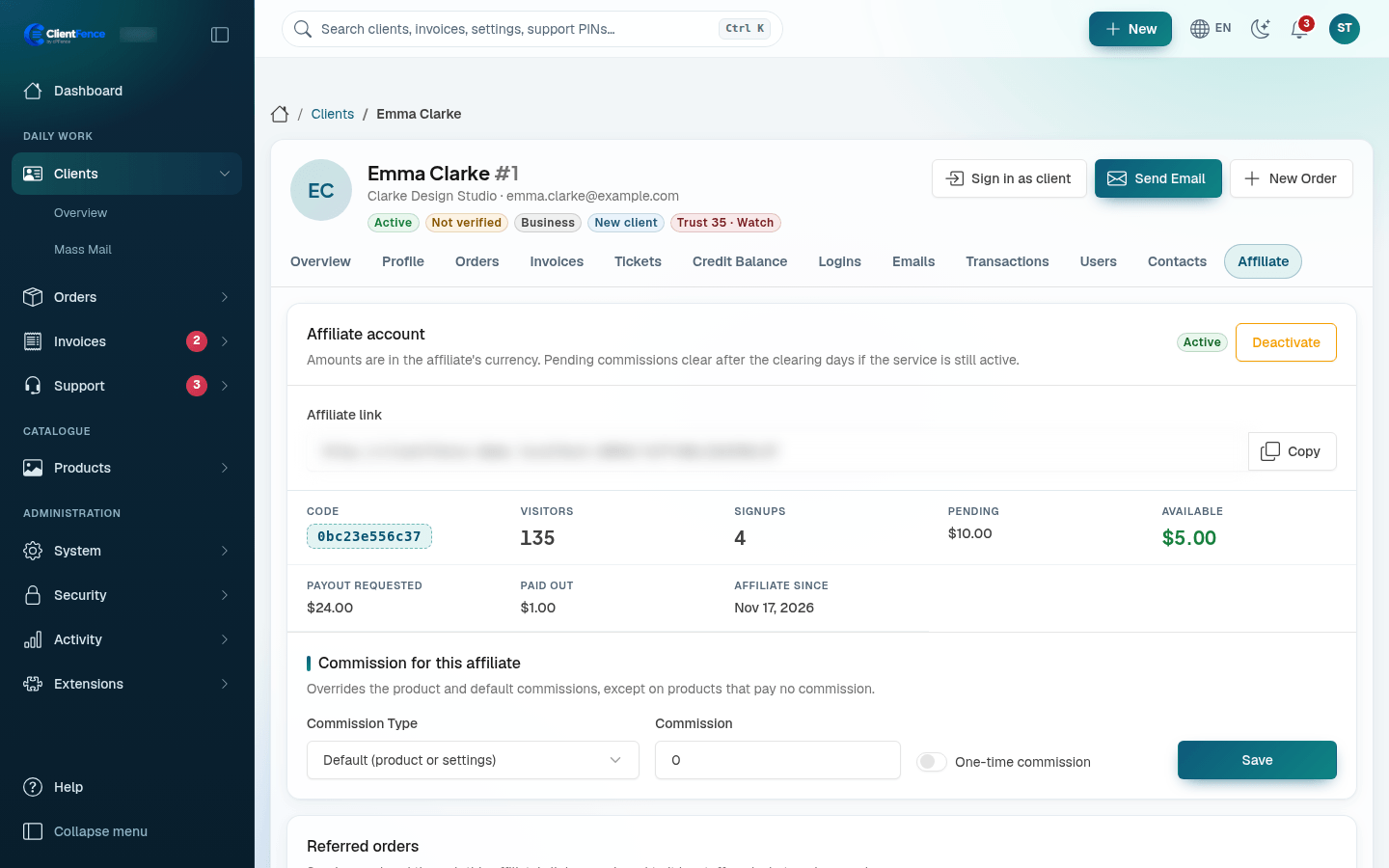
A product can pay its own commission or No commission: open the product and use Affiliate Commission. An affiliate can have its own commission on the client’s Affiliate tab. No commission on a product always wins.
What earns, and when
Section titled “What earns, and when”- Products and services, with their setup fee and options. Domains, add-ons and upgrades do not earn, and no one earns on their own orders.
- A percentage follows what the client paid after a promotion; a fixed amount does not.
- A commission is Pending for the clearing days, then Cleared if the service is still active. A service still waiting for setup is held for one more clearing period.
- A full refund or a chargeback takes the commission back. On a partial refund, tick Also reverse the affiliate commission. See Refunds.
- A downgrade that gives the client credit for unused time takes back the same share of the commission on the invoice that paid that time.
- Invoices paid while the program is off earn nothing, also after you turn it back on.
Payouts
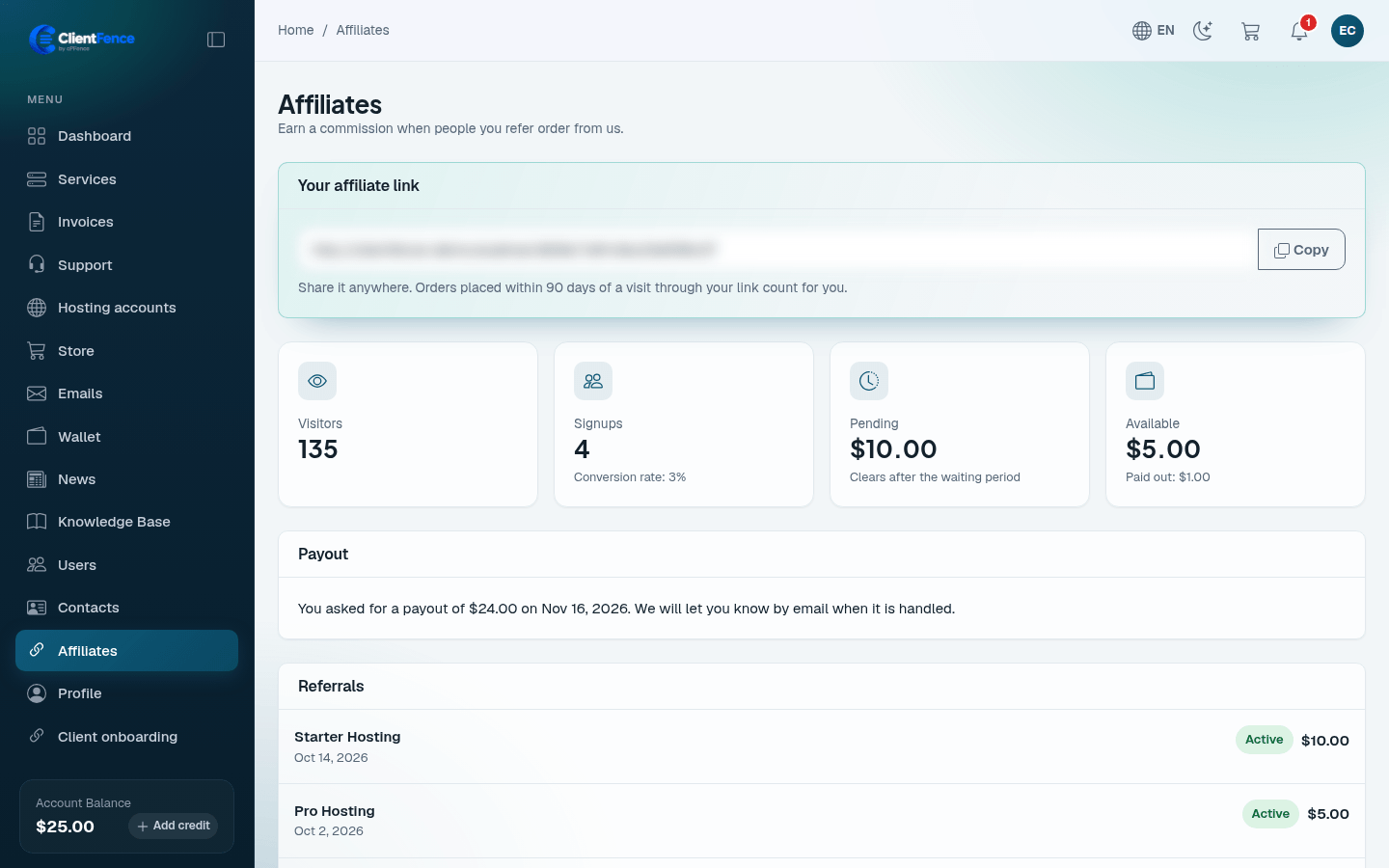
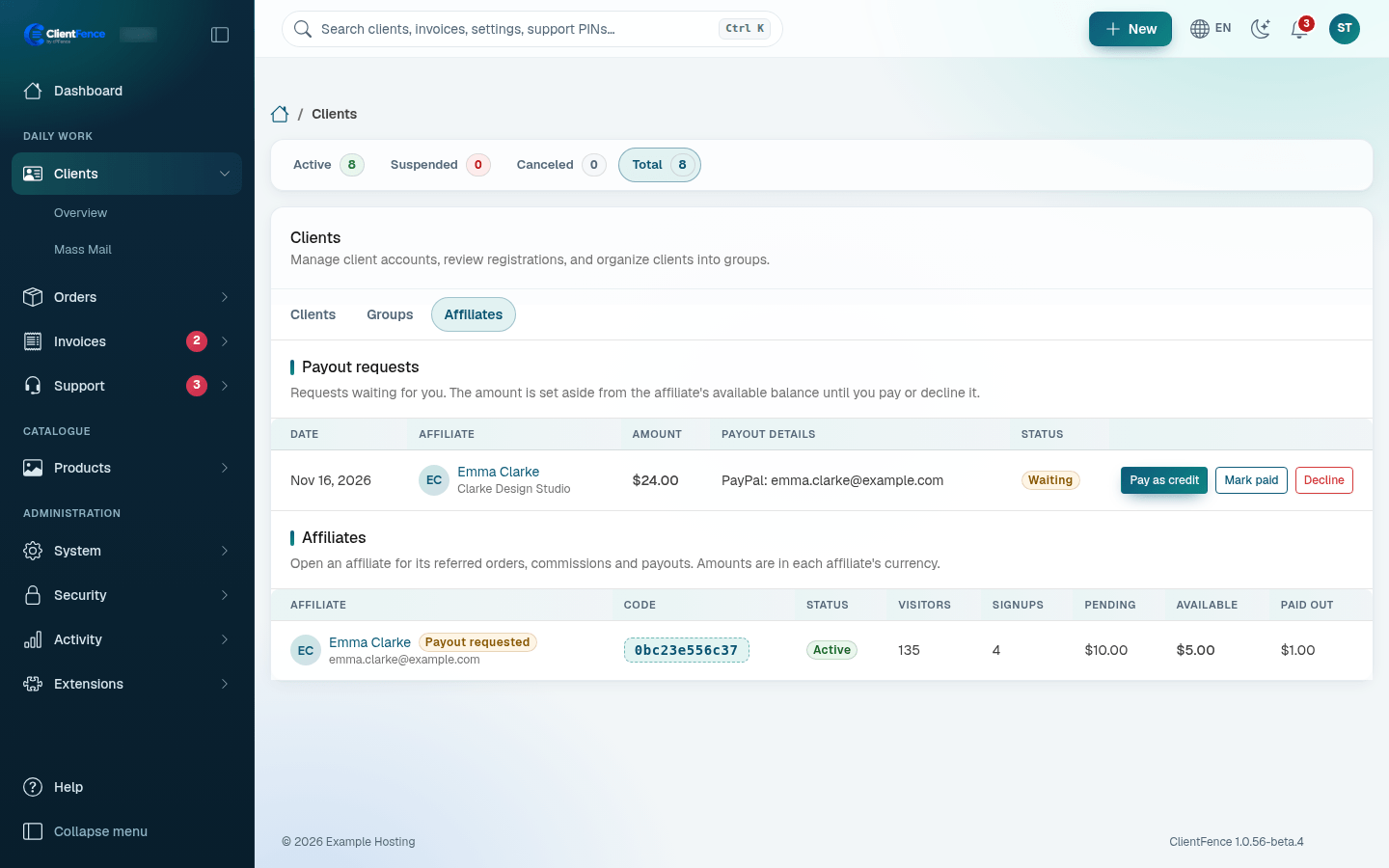
Section titled “Payouts”The affiliate asks for a payout on the Affiliates page of the client area once the Minimum Payout is available. Staff with the Manage Affiliates permission get an email (it shows the affiliate’s payout details). Open the Affiliates tab of Clients → Overview, or the client’s Affiliate tab, and choose Pay as credit (added to the client’s credit balance at once), Mark paid (you paid outside ClientFence) or Decline.
On an order, the Affiliate row shows the referring affiliate. Use Assign or Unassign to change it. An assigned affiliate earns on invoices paid from then on.
The link sets the clientfence_aff cookie, last click wins. Links imported from
WHMCS (aff.php?aff=) and
Blesta keep working.